6 Best Medical Lab Software Solutions Compared & Reviewed (2026)
Table of Contents
- Compare the 6 Best Medical Lab Software Solutions: At a Glance
- 1. Onymos: Best for Automating Medical Lab Document Workflows
- 2. LigoLab: Best for Integrated LIS + Revenue Cycle Management
- 3. LabWare LIMS: Best for Enterprise Pharmaceutical and Regulated Labs
- 4. Clinisys: Best for Multi-Site Hospital Networks and Public Health Labs
- 5. NovoPath: Best for Anatomic Pathology Labs
- 6. LabVantage: Best for Biopharma and Biobanking Organizations
- How to Choose the Best Medical Lab Software
- Onymos Helps Modern Labs Automate Document Workflows
Need a custom demo?
Use your own workflow and see where DocKnow can reduce manual work.
Get your demoKey Takeaways
- Onymos DocKnow is the best medical lab software for diagnostic and clinical labs that need to automate intake, eliminate data entry errors at accessioning, and protect patient records inside their own infrastructure.
- LigoLab is the strongest all-in-one LIS + RCM platform for clinical labs that want integrated billing and diagnostic reporting in a single system.
- LabWare remains the go-to medical lab management software for large pharmaceutical and regulated enterprise labs that need deep configurability and on-premises deployment.
- Clinisys suits large hospital networks and public health laboratories running multi-site clinical and anatomic pathology operations at enterprise scale.
Most medical lab software promises to streamline your workflow. However, most of it was not built for your specific workflow.
The best medical lab software in 2026 depends on what your lab actually does. Is it processing thousands of test requisition forms daily or managing complex sample hierarchies across multiple sites? Is it delivering rapid turnaround diagnostics at a national scale? Regardless, there’s a solution for you.
This guide compares 6 of the best medical laboratory software options available in 2026, segmented by lab type and use case, so you can find the right fit without wading through generic feature lists.
Compare the 6 Best Medical Lab Software Solutions: At a Glance
| Tool | Best For | Standout Feature |
|---|---|---|
| Onymos DocKnow | Clinical & diagnostic lab intake + RCM automation | SmartSync AI reconciliation + No-Data Architecture |
| LigoLab | Clinical labs needing integrated LIS + RCM | Built-in revenue cycle management + outreach connectivity |
| LabWare LIMS | Large pharma and regulated enterprise labs | Deep configurability + on-prem deployment |
| Clinisys | Multi-site hospital networks and public health labs | Broad LIS/LIMS portfolio across clinical and anatomic pathology |
| NovoPath | Anatomic pathology labs | Purpose-built AP workflow automation and reporting |
| LabVantage | Biopharma and biobanking organizations | LIMS + ELN + SDMS unified + complex sample hierarchy management |
Onymos: Best for Automating Medical Lab Document Workflows
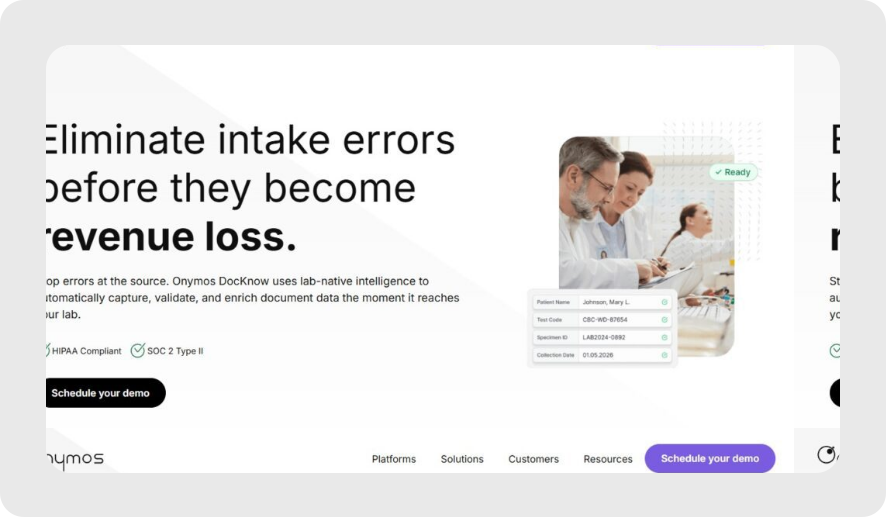
Onymos is the intelligent intake layer purpose-built for clinical and diagnostic laboratories. Onymos DocKnow automates the complete intake-to-billing chain by capturing test requisition forms, validating patient and insurance data, reconciling conflicts across sources, and routing structured data to existing LIMS, billing platforms, and analytics tools via API.
Unlike every other tool on this list, Onymos is not a LIS, LIMS, or RCM platform. It is the medical lab software layer that sits upstream of your existing systems, making them work better by ensuring the data that enters them is clean, validated, and complete from the first moment of accessioning.
→ See how intelligent document processing drives unexpected lab innovation
Onymos Key Features
DocKnow addresses the three most operationally consequential points in the clinical lab document workflow.
AI-Powered Laboratory Intake Automation
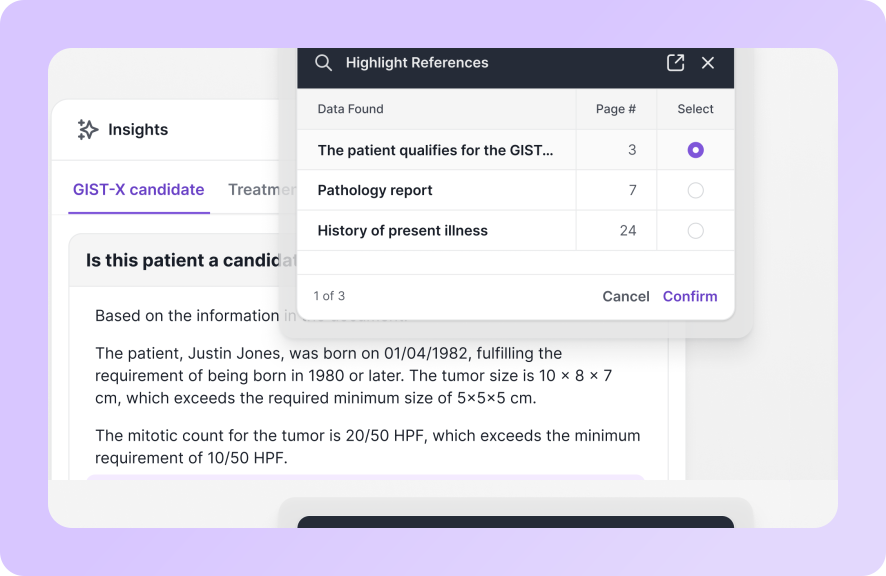
DocKnow captures test requisition forms, insurance cards, and supporting clinical documents from email, cloud storage, fax, or any connected source, then automatically extracts and validates key data fields using NLP and machine learning.
Labs that process thousands of TRFs per week manually, rekeying data from paper forms into LIS platforms, face a compounding error rate that results in denied claims, audit findings, and downstream manual correction overhead. DocKnow automates the extraction layer, so data arrives at the LIMS or billing platform already validated.
This can help you avoid red flags in your accessioning process and is all the more important for labs still using paper that have not yet digitized intake.
DocKnow also connects directly to laboratory accessioning workflows and broader laboratory operations at every stage.
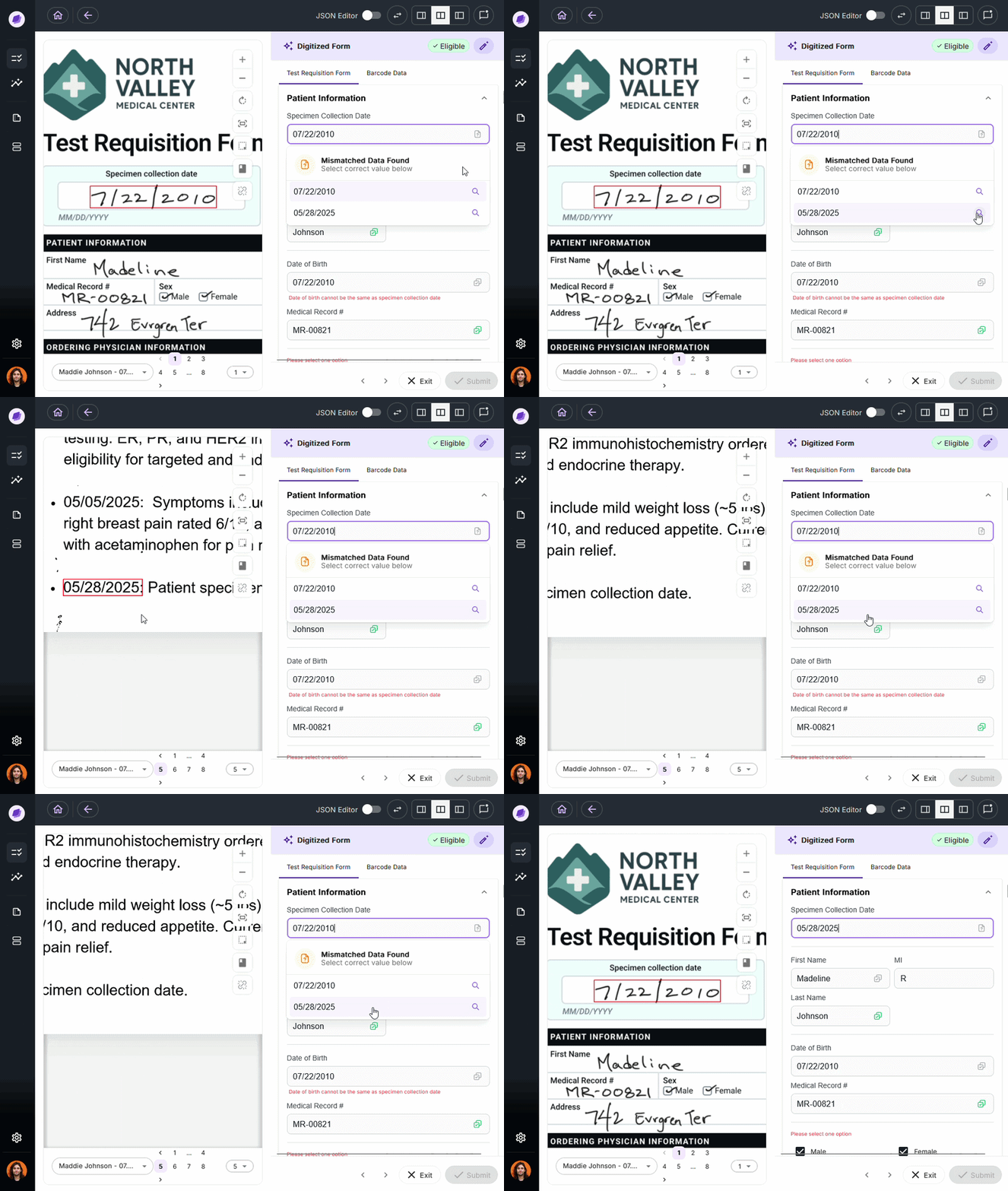
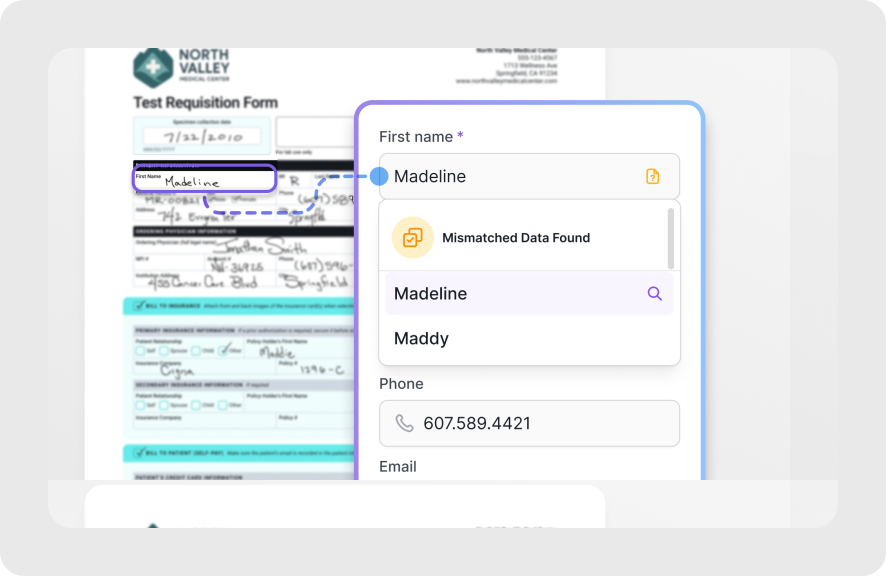
SmartSync is Onymos’s proprietary AI engine that cross-references extracted data values across multiple sources simultaneously, detecting mismatches before data moves downstream.
In medical laboratory billing, a single transposed digit or mismatched identifier can result in a claim denial that takes weeks to appeal and resolve. Data reconciliation can prevent such revenue loss across healthcare ops, and SmartSync further supports this by running upfront insurance eligibility checks before any work is done on a specimen.
It also connects with the billing side of these workflows, closing RCM gaps with next-generation la billing.
No-Data Architecture: Zero Third-Party PHI Exposure
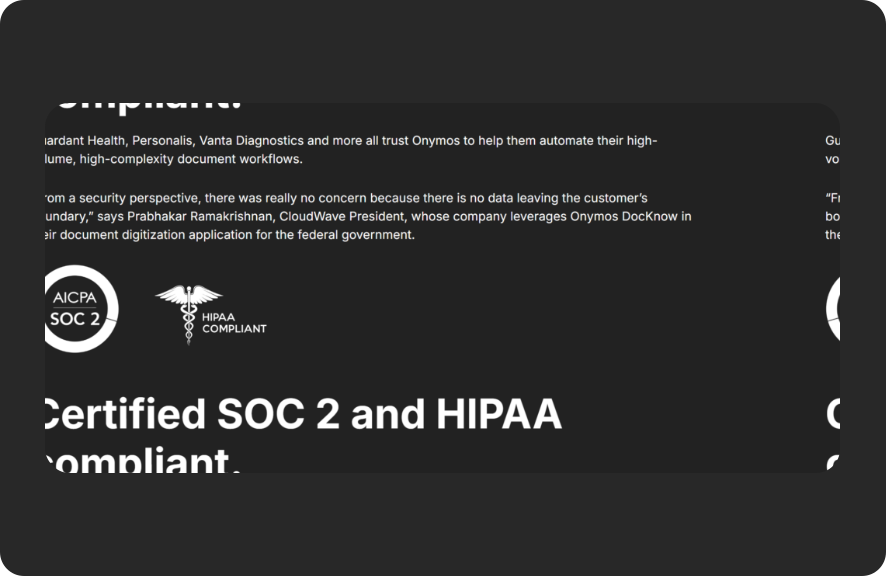
Onymos never accesses, stores, or processes patient data on Onymos-controlled infrastructure. All extracted fields, healthcare documents, and patient records remain exclusively within the customer’s own environment. This is a conscious architectural design decision that eliminates the category of third-party vendor data exposure risk entirely.
Most medical lab software solutions (even the HIPAA-compliant ones) store or process data on vendor servers, making them Business Associates with their own security posture that becomes the lab’s risk.
Onymos’s security architecture works differently by design. For labs pursuing HITRUST certification, this also reduces the assessment scope by keeping vendor infrastructure entirely out of the PHI chain, bringing labs the benefits of No-Data Architecture.
Onymos Pricing
| Plan | Pricing | Notes |
|---|---|---|
| DocKnow | Custom — contact sales | Volume-based; labs can adopt intake, billing enablement, or client services modules independently without buying the entire platform |
Where Onymos Shines
- Purpose-built for lab intake : DocKnow handles the specific document types clinical and diagnostic labs process daily with validation logic built specifically for these formats and the accessioning workflows they feed
- Sits upstream of your LIMS, not alongside it: Onymos integrates directly with existing LIMS, LIS, and billing platforms via API, feeding clean structured data downstream. Labs keep the systems they already use
- Compliance built into the architecture, not bolted on: No-Data Architecture, field-level audit trails, SOC 2 Type II, and HIPAA compliance reduce regulatory exposure at the structural level.
Where Onymos Falls Short
- Not a full LIS or LIMS replacement: Onymos does not manage sample tracking, QC workflows, result reporting, or laboratory information management beyond the intake and data routing layer. Labs still need a LIS or LIMS for post-intake operations
- Focused on clinical and diagnostic labs: Onymos DocKnow was originally designed for diagnostic and clinical laboratory workflows, rather than for broader pharmaceutical R&D or general enterprise document management use cases
Onymos Customer Reviews
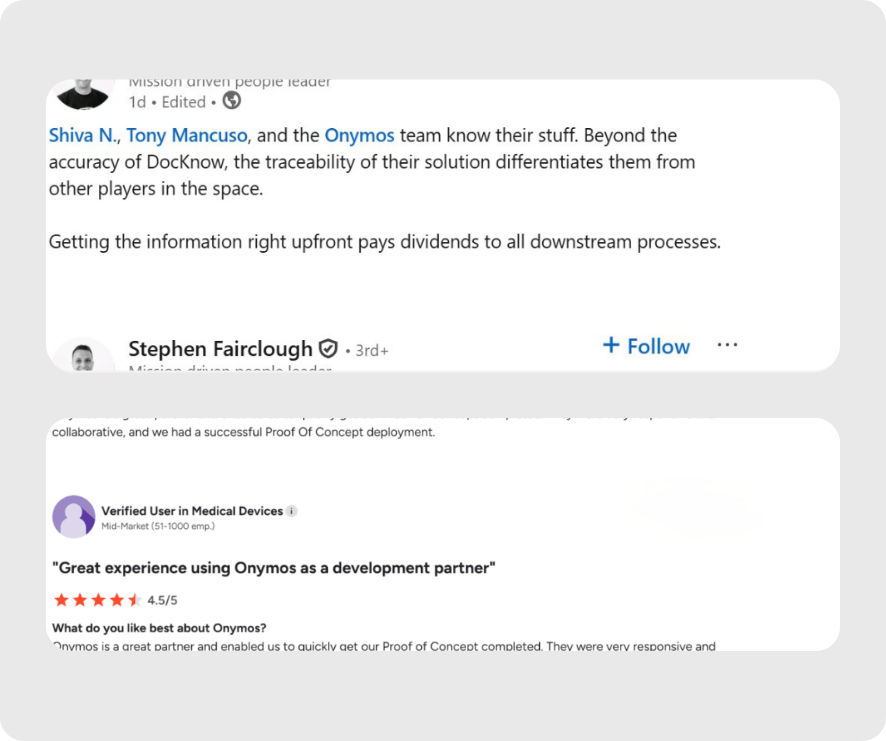
Stephen Fairclough, the former VP of Informatics at Personalis, spoke highly of DocKnow, setting it apart from competing platforms on the dimensions of accuracy and traceability. Hanson said, “Getting the information right upfront pays dividends to all downstream processes.”
An Onymos user praises, “Onymos is a great partner and enabled us to quickly get our Proof of Concept completed. They were very responsive and collaborative, and we had a successful Proof Of Concept deployment.”
Who Onymos is Best For
- High-volume diagnostic labs: Labs processing high-volume of specimens annually that cannot scale manual TRF intake workflows without scaling headcount proportionally
- Clinical labs with claim denial problems: Any lab losing revenue to denials caused by missing insurance details, mismatched patient identifiers, or unsigned TRFs entering the billing pipeline unchecked
- Labs evaluating or upgrading their LIMS: Teams that recognize their LIMS performance problems start upstream, at the intake layer where bad data originates
- Labs under CLIA, CAP, or OIG scrutiny: Organizations that need defensible, real-time audit trails for every document interaction at accessioning
2. LigoLab: Best for Integrated LIS + Revenue Cycle Management
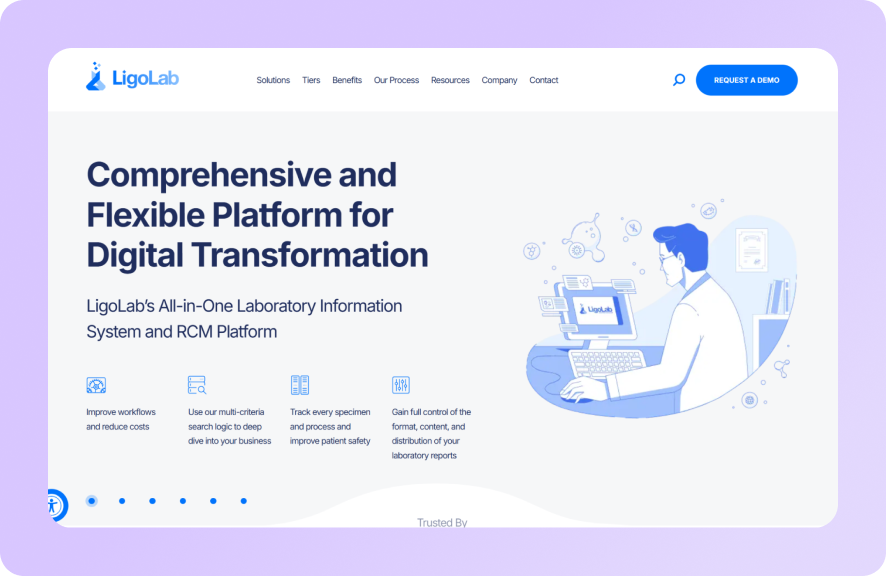
LigoLab is a comprehensive laboratory information system built for clinical laboratories that want LIS functionality and revenue cycle management in a single platform. It offers an integrated billing module that eliminates the hand-off between LIS and external RCM systems.
Key Features
- Integrated RCM Module: LigoLab’s built-in billing and revenue cycle management handles claims submission, denial management, eligibility verification, and remittance posting without requiring a separate billing platform or clearinghouse integration
- Multi-Specialty Lab Support: LigoLab supports clinical chemistry, hematology, microbiology, anatomic pathology, and molecular diagnostics in one system, making it practical for multi-specialty reference labs that would otherwise require separate LIS instances
- Outreach Connectivity: LigoLab includes a physician portal and client connectivity tools that manage order intake from external ordering providers, reducing the manual exchange of requisitions and results with referring clinics
Pricing
| Plan | Pricing |
|---|---|
| All plans | Custom |
Where LigoLab Shines
- Integrated LIS + RCM: The combined platform eliminates the data integrity gaps that typically occur when a LIS hands off to a separate billing system
- Multi-specialty support: One system for clinical, anatomic, and molecular diagnostics reduces integration overhead for labs running diverse testing menus
- Outreach tools built in: Physician portal and client services features are native, not add-ons
Where LigoLab Falls Short
- No purpose-built intake layer: Like most LIS platforms, LigoLab manages data once it is in the system
- Complex implementation for smaller labs: LigoLab’s comprehensive feature set comes with implementation complexity that smaller single-specialty labs may find excessive
Customer Reviews
A verified user praises the support team, saying, “When creating a new test or setting up new equipment for production, I love that I can work with Ligo Lab support.”
Chris B. warns, “Collaboration on specific needs was cumbersome at times. With a highly customizable LIS, sometimes redundant solutions would be implemented or require a workaround.”
Who LigoLab is Best For
- Multi-specialty reference labs: Organizations running diverse testing menus that need a single LIS to handle all specialties without separate instances
- Clinical labs bringing RCM in-house: Labs that outsource billing to clearinghouses and want to consolidate that function into their core lab platform
3. LabWare LIMS: Best for Enterprise Pharmaceutical and Regulated Labs
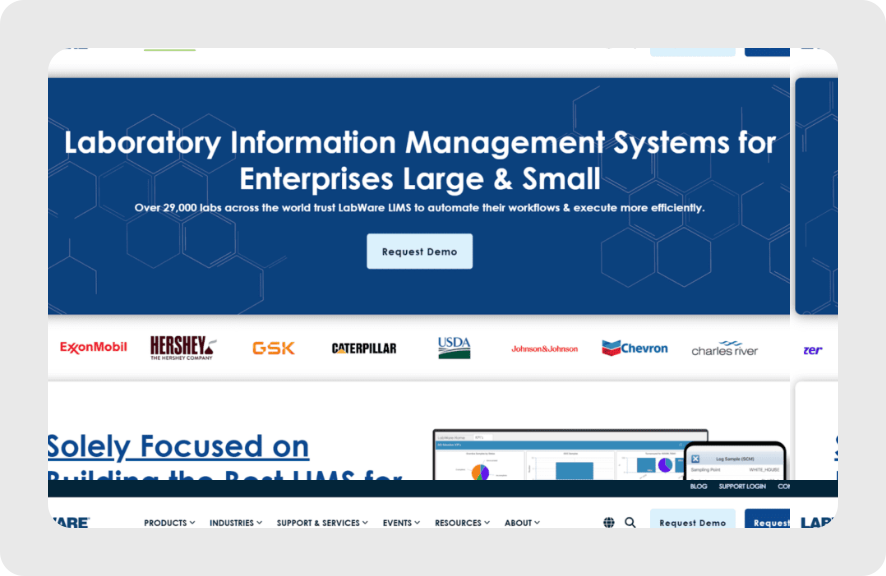
LabWare is one of the most configurable LIMS platforms available, particularly for large, multi-site on-premises deployments where compliance documentation requirements are non-negotiable.
Key Features
- LabWare LIMS Basic Scripting: LabWare’s own scripting language allows organizations to customize workflows at a granular level without relying on vendor-delivered updates
- QA/QC and Instrument Integration: Built-in quality control workflows, instrument data transfer automation, and audit trail management make LabWare particularly strong for regulated manufacturing and pharmaceutical environments
- On-Premises Deployment: LabWare supports true on-premises deployment as well as cloud, SaaS, and hybrid models for a scalable enterprise platform
Pricing
| Plan | Pricing |
|---|---|
| All plans | Custom |
Where LabWare Shines
- Enterprise-grade configurability: Few platforms match LabWare’s depth for complex, regulated workflows with specific documentation and audit requirements
- Trusted in pharmaceutical manufacturing: Global pharmaceutical companies with the highest compliance demands have run LabWare for decades
- Strong audit trail and QC features: Built for environments where every data action must be documented and retrievable on demand
Where LabWare Falls Short
- Legacy architecture and slow update cadence: New versions are infrequent, and upgrading can be disruptive to highly customized deployments
- Not designed for clinical diagnostic intake: LabWare manages samples and data once they are in the system. It does not automate the capture and validation of intake documents that arrive before accessioning
Customer Reviews
Rajni S. praises Labware, saying it’s, “Easy to maintain inventories and Lab workflows with their Standard Procedures and Protocols. Easily integrate with ELN to achieve paperless lab.”
T E complains that functions could be more user-friendly and simplified, saying, “There are settings such as facility and plant that we don’t need that still have to be configured. The process template that was brought it also had a previous set-up in it so there were/are a ton of analysis/subroutines/etc present that are not needed. It make it more confusing in trying to see what does what.”
Who LabWare is Best For
- Large pharmaceutical and GMP manufacturing labs: Organizations with strict regulatory requirements, dedicated IT teams, and complex compliance documentation needs
- Multi-site enterprise deployments: Labs operating globally that need consistent, governed workflows across locations with different regulatory requirements
4. Clinisys: Best for Multi-Site Hospital Networks and Public Health Labs
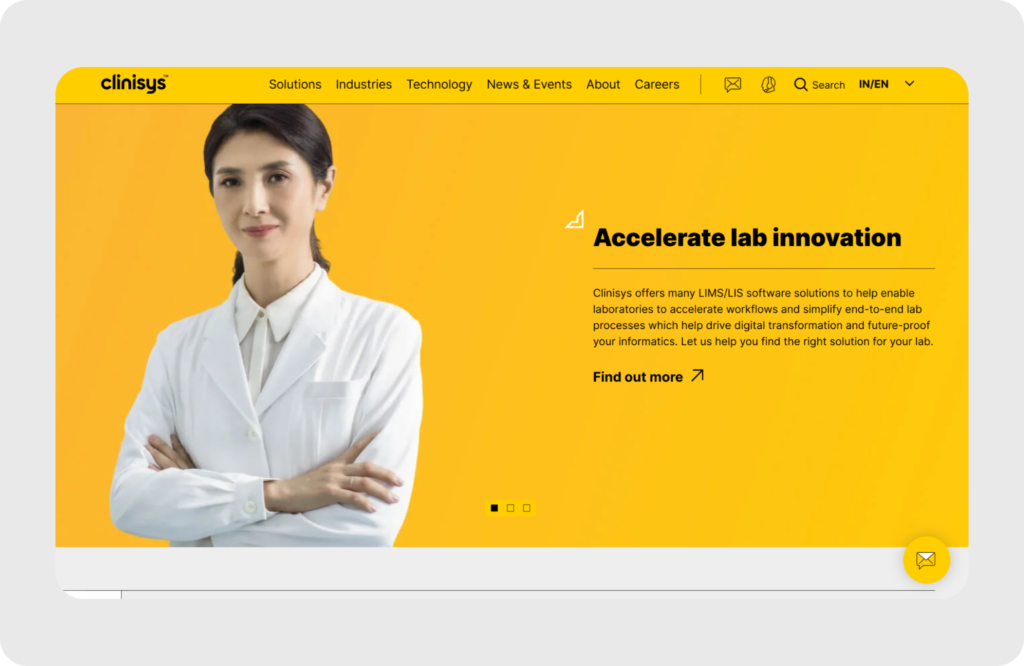
Clinisys is one of the largest laboratory informatics portfolios in healthcare, supporting clinical pathology, anatomic pathology, outreach networking, and cloud-based operations across hospital networks and public health laboratories.
Key Features
- Broad LIS Portfolio: Clinisys supports clinical chemistry, hematology, microbiology, anatomic pathology, and outreach networking, covering the full clinical laboratory menu in a single vendor relationship
- Autoverification and Analytics: Built-in autoverification rules, KPI dashboards, and workflow analytics help large lab networks manage throughput, monitor quality, and identify operational bottlenecks across distributed sites
- Multi-Lab Networking: Clinisys’s Atlas outreach capabilities harmonize data across multiple LIS environments, enabling test routing, result delivery, and order processing across distributed laboratory networks
Pricing
| Plan | Pricing |
|---|---|
| All plans | Custom |
Where Clinisys Shines
- Breadth across pathology types: Few platforms cover both clinical and anatomic pathology workflows at enterprise scale in a single vendor portfolio
- Strong for distributed operations: Multi-site networking and outreach connectivity make it practical for hospital networks running dozens of locations
- Analytics and autoverification: Built-in operational intelligence helps large labs manage quality and throughput without separate analytics platforms
Where Clinisys Falls Short
- Complex to implement: Enterprise scope comes with lengthy implementation timelines and significant IT resource requirements
- Not suited for standalone diagnostic labs: Clinisys’s strength is enterprise hospital networks but standalone diagnostic labs will find its complexity unnecessary
Customer Reviews
Beatrice G. praises, “It delivers results through quality healthcare and optimized, efficient workflow.”
Isabella J. laments, “Software can act slow. When I’m trying to work quickly through the software there are delays which causes me to slow down on the work I’m doing. Also when ordering tests if you miss type an order you have to start all over again instead on adjusting that one test.”
Who Clinisys Is Best For
- Large hospital networks: Organizations running clinical and anatomic pathology across multiple sites that need a unified LIS across all of them
- Public health laboratories: Government and regional public health labs with broad testing menus and multi-site coordination requirements
5. NovoPath: Best for Anatomic Pathology Labs
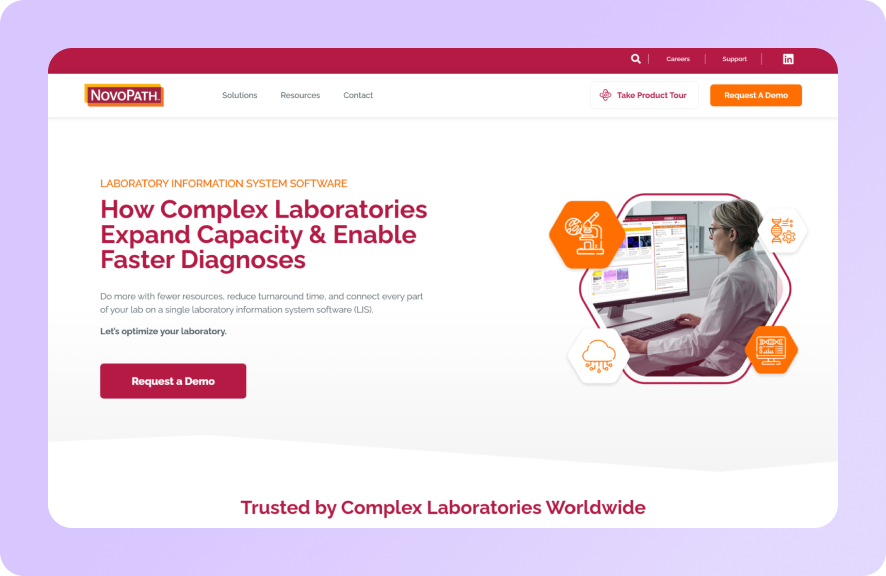
NovoPath is a cloud-native LIS built specifically for anatomic pathology laboratories such as histopathology, cytology, molecular diagnostics, and oncology. It is widely recognized for its purpose-built pathology workflow automation and modern digital pathology readiness.
Key Features
- Anatomic Pathology Workflow Automation: NovoPath automates the AP workflow from grossing and histology through staining, routing, and final reporting, replacing fragmented manual handoffs with a cohesive, configurable workflow engine
- Configurable Rules Engine: Lab teams can customize grossing, staining, routing, and reporting steps without writing code, reducing IT dependency for workflow changes
- Digital Pathology Readiness: NovoPath is designed to support digital pathology workflows, including integration with whole slide imaging systems, making it compatible with labs transitioning to fully digital slide review.
Pricing
| Plan | Pricing |
|---|---|
| All plans | Custom |
Where NovoPath Shines
- Purpose-built for anatomic pathology: Designed from the ground up for AP workflows, not adapted from a clinical chemistry LIS
- Modern cloud-native architecture: Faster to deploy and update than legacy AP platforms, with less IT overhead
- Digital pathology ready: Positioned for labs transitioning to digital slide workflows
Where NovoPath Falls Short
- Narrow scope: NovoPath does not natively support clinical diagnostics or revenue cycle workflows. Labs that need both AP and clinical chemistry require a separate LIS for the clinical side
- Not designed for intake automation: Like most LIS platforms, NovoPath does not automate the capture and validation of incoming TRFs and requisition documents upstream of the system
Customer Reviews
Brooke A. shares, “The product itself is very good. The support team could be more responsive and helpful. We had a designated support member who was exceptional at her job -Amina. She left the company and her loss is very clear.”
Shelley J. complains, “There is a lot of clicks to get things done. Switching back and forth to Enhanced billing and Novopath is an extra step. It would be nice if it was all in one place.”
Who NovoPath is Best For
- Standalone anatomic pathology labs: Histopathology, cytology, and molecular pathology labs that need a purpose-built AP LIS
- Oncology groups and cancer centers: Labs running high volumes of complex diagnostic pathology that need configurable case routing and reporting
6. LabVantage: Best for Biopharma and Biobanking Organizations
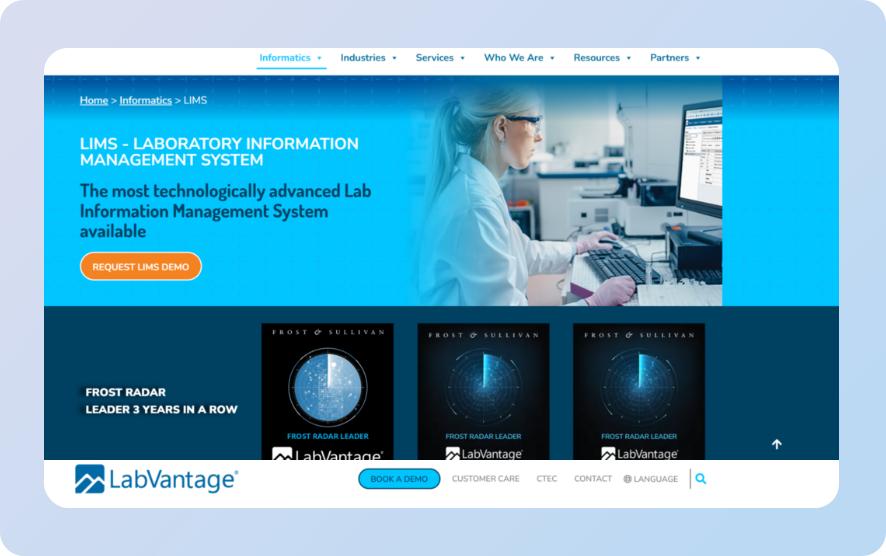
LabVantage is a well-established global LIMS platform combining LIMS, ELN, and SDMS in a unified environment. Its particular strength is in complex sample hierarchy management, biobanking, and tight ELN integration.
Key Features
- Complex Sample Hierarchy Management: LabVantage handles multi-level sample relationships, chain of custody tracking, and long-term biobanking workflows that most general LIMS cannot manage natively
- Unified LIMS + ELN + SDMS: Research data, sample data, and scientific data management coexist in one platform, reducing integration overhead for organizations that would otherwise maintain separate subscriptions for all
Pricing
| Plan | Pricing |
|---|---|
| All plans | Custom |
Where LabVantage Shines
- Biobanking depth: Long-term sample storage and complex sample hierarchy management go beyond what most general LIMS platforms handle
- Integrated ELN for research workflows: Research experiment data and sample tracking coexist without constant exports or integrations
- Enterprise scalability: Deployed globally across biopharma, healthcare, and research environments
Where LabVantage Falls Short
- Slow update cadence: Version releases are infrequent, which can slow adoption of new capabilities
- Not purpose-built for clinical lab intake: Like most LIMS, LabVantage manages samples once they are in the system. The upstream intake layer still requires attention
Customer Reviews
A verified user shares, “There are so many ways to input your data in the system and ways to organize it. It has the ability for you to pull all the data from the application to use to do a data review which is very convenient.”
Sri G. warns, “While the platform is powerful, debugging Groovy scripts and custom Java code can be cumbersome. The repeated cycle of deploying changes and then testing them inside the LIMS environment often feels slower than what I’m used to in modern web development workflows, and that can reduce development velocity when working on more complex customizations.”
Who LabVantage Is Best For
- Biopharma organizations: Teams managing complex sample hierarchies across research and clinical workflows simultaneously
- Labs with biobanking requirements: Long-term sample storage and retrieval at enterprise scale where chain of custody is critical
How to Choose the Best Medical Lab Software
The wrong way to evaluate medical lab software is to compare feature lists. The right way is to identify exactly where your workflow breaks and find software that addresses that specific failure point.
Start With the Layer That’s Actually Causing Problems
Most lab software evaluations start with the LIS or LIMS. But for clinical and diagnostic labs, the most damaging problems often originate upstream at intake, where incomplete TRFs, unverified insurance details, and manual data entry create errors that cascade into claim denials, compliance findings, and revenue loss 60 to 90 days later.
If your lab’s denial rate is above industry benchmarks or your billing team spends significant time correcting intake errors, the fix is not a better LIS. It is a better intake layer. AI governance in healthcare starts with ensuring that the systems capturing data at intake are producing reliable outputs.
Onymos DocKnow was built specifically to address this layer: automating TRF capture, validating fields before they move downstream, and routing clean structured data to whatever LIS or billing platform your lab already uses.
For labs evaluating AI lab systems, this upstream validation layer is often where the fastest operational gains occur.
Match Software to Your Lab Type, Not Your Budget Tier
A LIMS built for pharmaceutical R&D is the wrong tool for a clinical diagnostic lab. An anatomic pathology LIS is the wrong tool for a clinical chemistry lab.
The best lab management software for your operation is the one built specifically for your lab type, not the one with the longest feature list or the most enterprise customers.
For clinical and diagnostic labs, that means evaluating intake-to-billing workflow specifically: how does the platform handle TRF processing, accessioning, eligibility verification, and downstream data routing? For research and biopharma labs, the relevant question is sample hierarchy management, ELN integration, and GLP/GMP compliance.
For example, lab automation software and lab workflow software serve different functions and should be evaluated separately for each layer of your stack.
Verify Where Patient Data Lives Before You Sign Anything
Any medical lab software that processes or routes PHI on behalf of your lab is a Business Associate under HIPAA. If that vendor stores your patient data on their own servers, you are inheriting their security posture as your risk exposure.
For example, using a HIPAA-compliant automation checklist will ensure you cover more detail than most procurement teams realize.
The question to ask every vendor: where does our patient data actually live during processing? Understanding real data ownership versus the appearance of it tells you which vendors are structurally different and which are simply contractually different.
Onymos’s No-Data Architecture keeps all patient data inside the customer’s own environment by design with no vendor access, no vendor storage, and no third-party exposure.
Laboratory compliance requirements should also inform software selection from the start, not be retrofitted afterward.
→ See how Onymos approaches healthcare data security at the architecture level
Onymos Helps Modern Labs Automate Document Workflows
Most medical lab management software focuses on what happens inside the lab after samples arrive. The more expensive problem, financially and operationally, is what happens at the intake window before data enters any system.
Incomplete test requisition forms. Unverified insurance details. Patient identifiers that do not match across connected records. These errors are preventable at intake. Once they make it into your LIS or billing platform, they become denied claims, compliance findings, and costly manual correction cycles.
Onymos DocKnow is built for labs that want to fix the problem at the source. If your team processes high volumes of TRFs, struggles with claim denials caused by intake documentation errors, or needs to scale specimen volume without scaling manual data entry, the conversation starts at intake.
Talk to the Onymos team about automating your lab’s intake workflow now!


Connect with our team to explore how Onymos solutions can maximize efficiency, minimize costs, and drive real, scalable growth.
Schedule your demoWe know healthcare data
AI in the lab. Workflow automation at scale. Digital front doors for hospitals and clinics. Healthcare and life sciences are changing fast. Are you ready? Subscribe to our blog for:
- Trends in healthcare tech
- Research and analysis
- Customer stories and more