5 Best MuleSoft Competitors & Alternatives to Consider in 2026
Table of Contents
- 1. Onymos: Best for Clinical & Diagnostic Lab Intake Automation
- 2. Boomi: Best for Enterprise Cloud-to-On-Premises Integration
- 3. Zapier: Best for Non-Technical Teams Automating SaaS Workflows
- 4. Workato: Best for Mid-Market and Enterprise IT + Business Collaboration
- 5. Make: Best for Visual Workflow Builders Needing Complex Logic
- Reasons to Consider an Alternative to MuleSoft
- Ready to Switch? Choose Onymos as Your MuleSoft Alternative
Need a custom demo?
Use your own workflow and see where DocKnow can reduce manual work.
Get your demoKey Takeaways
- Onymos is the best MuleSoft alternative for clinical and diagnostic laboratories that need purpose-built intelligent document processing for lab intake, accessioning, and RCM without any Salesforce lock-in or opaque-based pricing.
- Boomi is the strongest MuleSoft alternative for large enterprises that need robust cloud-to-on-premises integration across complex, multi-system environments.
- Zapier is ideal for non-technical teams and small businesses that need fast, low-overhead workflow automation between SaaS tools, without touching code.
- MuleSoft remains a powerful general-purpose platform for enterprises with dedicated integration engineers, but for everyone else, more focused tools deliver better ROI at lower cost.
MuleSoft is one of the most recognized integration platforms on the market. It can connect nearly any system, API, or data source your enterprise runs on. But that power comes at a price, literally.
First-year total costs for mid-market deployments routinely run 2–3x the base subscription once you factor in implementation, specialist staffing ($150K-$200K annually for a dedicated MuleSoft developer), and Salesforce ecosystem dependencies.
For teams without a dedicated integration engineer, or with complex, non-standard workflows, MuleSoft’s steep learning curve and opinionated architecture can stall projects for months.
This guide breaks down the best MuleSoft competitors and alternatives in 2026, organized by use case so you can find what actually fits your team rather than what sounds impressive on a sales call.
1. Onymos: Best for Clinical & Diagnostic Lab Intake Automation
If your team is running a diagnostic or clinical laboratory, you are solving a very different problem than the typical integration use case MuleSoft was built for. You are not just moving data between SaaS apps. You are processing test requisition forms, insurance cards, and medical records.
Onymos DocKnow is purpose-built for this workflow. DocKnow is an intelligent document processing platform built specifically for clinical laboratory intake, test requisition processing, and accessioning.
DocKnow automates the intake-to-billing pipeline in a way MuleSoft cannot without heavy custom development, and does so inside the customer’s own infrastructure, with no vendor data exposure.
The comparison between MuleSoft and Onymos is instructive:
- MuleSoft can connect lab systems, but it requires heavy customization to handle complex workflows (or that teams adapt to it, instead), offers no native eligibility checks, and stores data through Salesforce’s ecosystem
- Onymos deploys within your infrastructure, runs upfront eligibility checks before any work is done on a specimen, and comes pre-built for the workflows diagnostic labs run every day
Onymos Key Features
DocKnow handles the full intake-to-reimbursement chain with three standout capabilities that matter most for labs evaluating MuleSoft alternatives.
- SmartSync: AI Data Reconciliation
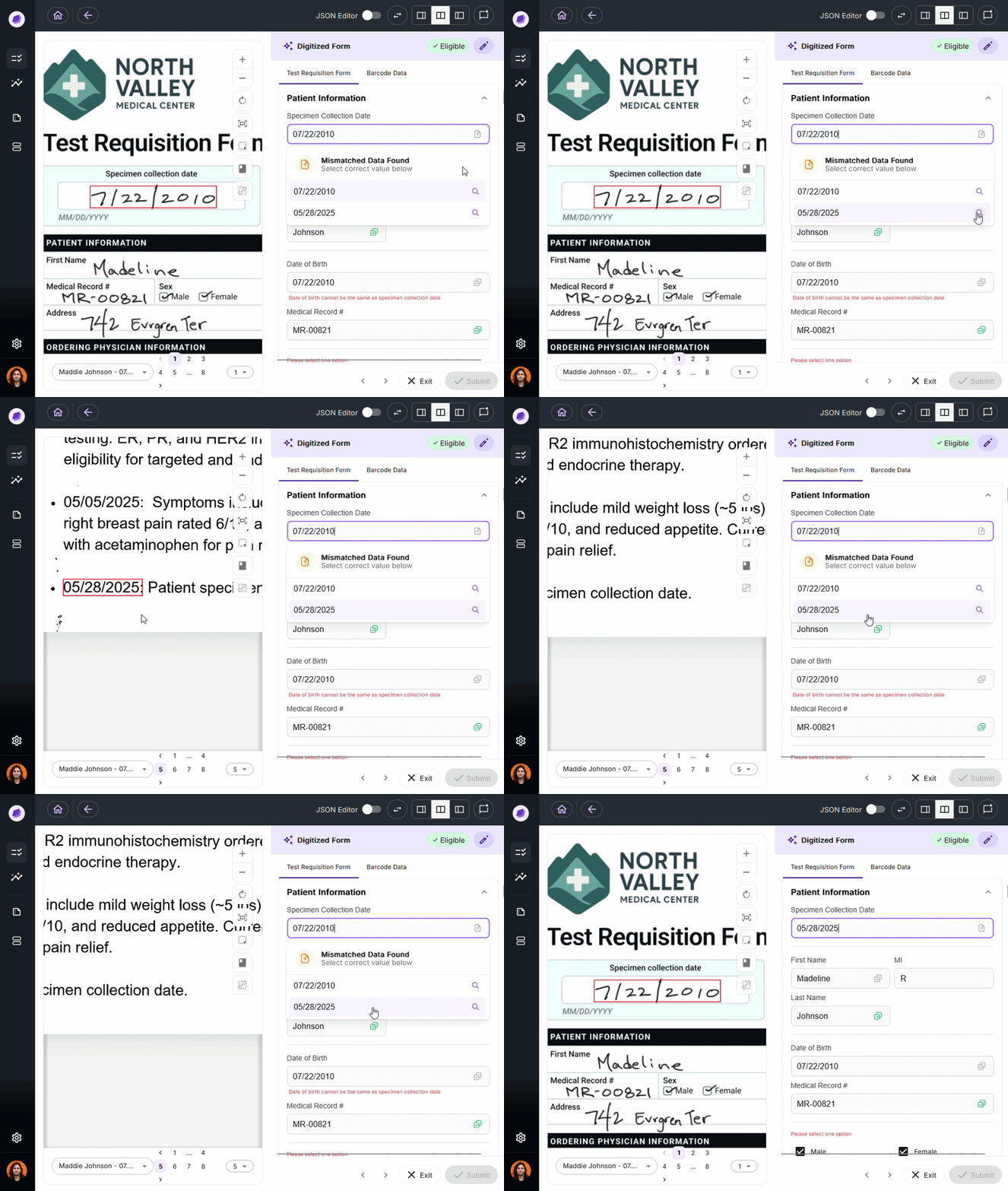
SmartSync is Onymos’s proprietary AI reconciliation engine built into DocKnow. It compares extracted values across test requisition forms, insurance cards, medical records, and connected systems, catching any mismatches before the dtaa moves downstream.
This is the core mechanism behind how DocKnow protects billing and reimbursement workflows from the kind of upstream errors that make lab RCM so expensive to manage manually.
MuleSoft can route data between systems; it cannot do field-level reconciliation across lab-specific document types out of the box.
- No-Data Architecture: Zero Vendor Data Exposure
Most SaaS integration platforms (including MuleSoft) store or route customer data through vendor-controlled infrastructure. In healthcare, that is a significant compliance and legal risk.
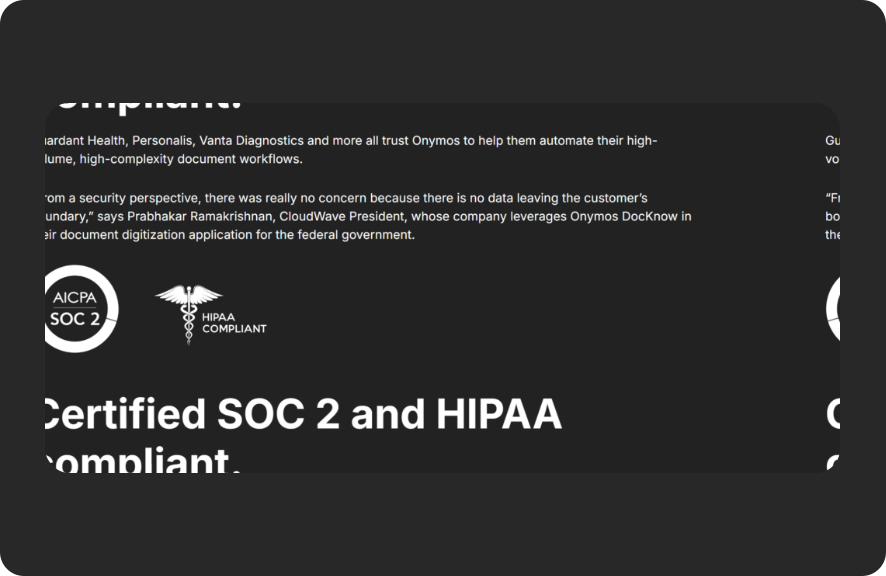
Onymos built its platform on a fundamentally different model. No-Data Architecture means Onymos never sees, accesses, captures, or stores your data. All patient records, extracted fields, and healthcare documents remain exclusively within the customer’s own environment
Onymos also won the 2024 Fortress Cybersecurity Award for this approach. It is SOC 2 Type II and HIPAA compliant. For labs subject to CLIA and CAP audit requirements, this makes the difference between a vendor that fits your compliance posture and one that creates new risk.
- Upfront Eligibility Checks
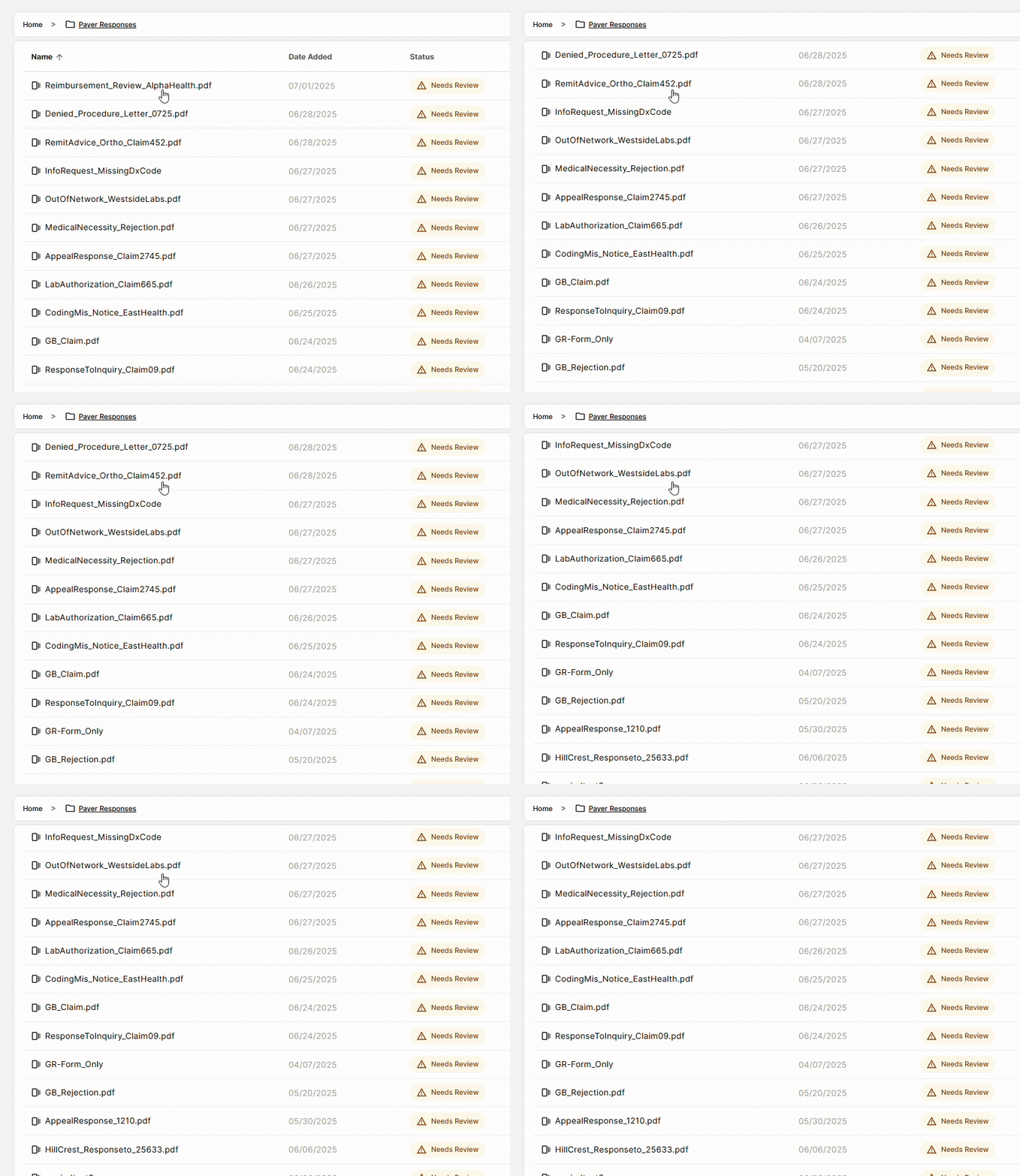
One of the most expensive failure modes in lab billing is running a test, completing the work, and then discovering the patient’s insurance won’t cover it. Most labs run eligibility checks after the fact, often because of staff shortages or legacy workflows never designed to run them upfront.
DocKnow runs insurance eligibility checks automatically at the point of intake, before any work begins on the specimen. This catches coverage problems when they can still be addressed and not after the lab has absorbed the cost.
For labs losing revenue to eligibility-related denials, this feature alone changes the financial calculus of the platform.
→ See how Onymos approaches enterprise-scale lab deployments
Onymos Pricing
| Plan | Pricing | Notes |
|---|---|---|
| DocKnow (modular) | Custom: contact sales | Volume-based pricing where labs can adopt specific modules (intake, billing, client services) without buying the full platform |
Onymos does not publish flat-rate pricing because intake volume, workflow complexity, and deployment environment vary significantly across labs. Pricing scales with specimen volume and the modules your team needs.
Where Onymos Shines
- Purpose-built for labs: DocKnow is designed around the exact document types clinical and diagnostic labs process daily and not adapted from a generic integration platform
- No-Data Architecture eliminates third-party exposure: Unlike MuleSoft and most SaaS integration tools, Onymos’s model ensures patient data never leaves the customer’s environment. This is architecturally distinct from “HIPAA-compliant” vendors that still process data on their own servers
- Error prevention before revenue loss: SmartSync catches field-level mismatches at intake, and upfront eligibility checks stop coverage problems before specimens are processed, leading to fewer denied claims, faster reimbursement cycles, and less manual rework
Where Onymos Falls Short
- Lab-focused by design: Onymos is not built for general hospital administration, broad SaaS workflow automation, or use cases outside clinical and diagnostic lab intake
- Custom pricing and onboarding: Because implementation is tailored to each lab’s volume and workflow, there is no self-serve tier or instant trial
Onymos Customer Reviews
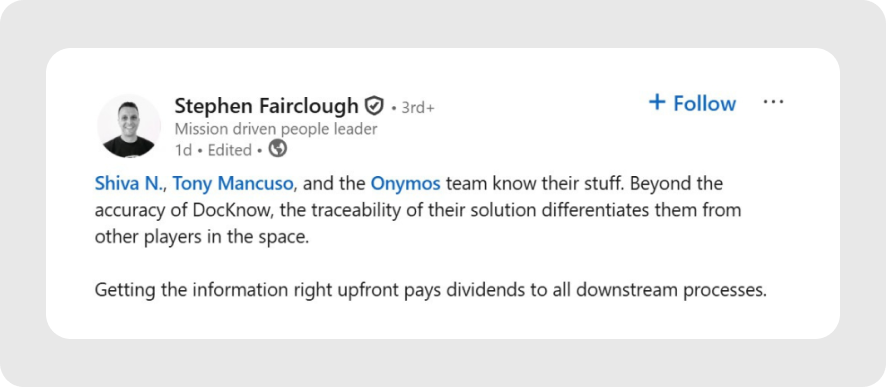
Stephen Fairclough, the former VP of Informatics at Personalis, speaks very highly of the Onymos team’s knowledge and skill set. On LinkedIn, he wrote, “Beyond the accuracy of DocKnow, the traceability of their solution differentiates them from other players in the space.”
An Onymos user also praises the solution, saying, “Onymos is a great partner and enabled us to quickly get our Proof of Concept completed. They were very responsive and collaborative, and we had a successful Proof Of Concept deployment.”
→Read more: Our customer success stories
Who Onymos is Best For
- Diagnostic and clinical labs processing high TRF volumes who need to scale without increasing headcount
- RCM teams losing revenue to intake errors from missing insurance details, mismatched patient identifiers, or incomplete documentation at accessioning
- Lab directors evaluating MuleSoft for system connectivity but are running lab-specific workflows MuleSoft cannot handle natively without significant custom engineering
- Any lab with eligibility check gaps currently verifying insurance coverage after test completion rather than before
→ Schedule a DocKnow demo to see SmartSync in action
2. Boomi: Best for Enterprise Cloud-to-On-Premises Integration
Boomi is a mature enterprise integration platform that has spent over a decade connecting cloud and on-premises systems at scale. Its low-code development environment, master data management (MDM) capabilities, and broad connector library make it one of the most credible MuleSoft competitors for large enterprises with complex, multi-directional data flows.
Unlike MuleSoft, Boomi is not tied to the Salesforce ecosystem. That independence matters for enterprises evaluating vendor lock-in risk which is one of the most consistent criticisms of MuleSoft from G2 and Capterra reviewers.
Key Features
- Low-Code Integration Builder
Boomi’s visual, drag-and-drop integration environment lets developers and technically capable business users build integrations without writing raw code. Pre-built connectors and process templates accelerate time-to-first-integration significantly compared to MuleSoft’s Anypoint Studio.
- Master Data Management (MDM)
Boomi includes built-in MDM tools that help enterprises maintain a single source of truth across connected systems. For organizations managing customer, product, or patient data across dozens of applications, this is a meaningful differentiator.
- API Management and Governance
Boomi supports full API lifecycle management (design, publish, manage, and monitor APIs) making it a viable alternative to MuleSoft for organizations that need API governance without the Salesforce dependency.
Pricing
| Plan | Pricing |
|---|---|
| All subscription plans | Custom |
| Pay-as-you-go | $99 per month plus usage, billed monthly |
Where Boomi Shines
- Strong MDM capabilities: Few MuleSoft alternatives include master data management at this level natively
- No Salesforce dependency: Boomi operates independently, which matters for enterprises on non-Salesforce stacks
- Faster time-to-integration: Boomi’s visual builder and pre-built templates reduce implementation time compared to MuleSoft’s code-heavy approach
Where Boomi Falls Short
- Still enterprise-priced: Boomi is not a fit for small teams or lean budgets and implementation still requires skilled integration professionals
- Limited lab/healthcare specificity: Like MuleSoft, Boomi is a horizontal platform which means it connects systems but does not bring domain intelligence for lab workflows, TRF processing, or clinical document handling
- Slightly narrower connector ecosystem than MuleSoft: MuleSoft’s Anypoint Exchange remains the larger pre-built asset library
Customer Reviews
Tarun P. notes, “Boomi’s smooth interface with NetSuite, which facilitates simple and effective data flows, is what I appreciate best about it.”
Vishesh B. flags, “Sometimes the process reporting takes a bit to load the documents in real-time, and that could be improved. After successful execution of any process, it should show the processed documents as soon as possible, but sometimes it takes 15-20 minutes, causing delays in operations.”
Who Boomi is Best For
- Large enterprises with complex cloud-to-on-premises integration needs and no appetite for Salesforce ecosystem lock-in
- IT teams that want MDM baked into their integration platform rather than bolted on from a separate tool
3. Zapier: Best for Non-Technical Teams Automating SaaS Workflows
Zapier is the most widely used no-code automation tool in the world, and for good reason. It connects over 7,000 apps with a trigger-and-action model that genuinely requires no technical background to use.
If MuleSoft is a sledgehammer, Zapier is a precision tool and is perfect when your problem is automating repetitive tasks across SaaS apps, not engineering enterprise API architecture.
Key Features
- Zap Builder (No-Code Automation)
Users create “Zaps” which are automated workflows triggered by events in one app (e.g., a new form submission) that execute actions in another (e.g., create a CRM record, send a Slack message). No code required and most Zaps take minutes to configure.
- 7,000+ App Integrations
Zapier’s integration library is unmatched in breadth for SaaS-to-SaaS connectivity. If the tools your team uses daily have APIs, Zapier likely already connects them.
- Multi-Step Zaps and Conditional Logic
Beyond simple two-app triggers, Zapier supports multi-step workflows with filters, conditional paths, and data formatting, handling more complex automation scenarios without requiring developer involvement.
Pricing
| Plan | Pricing |
|---|---|
| Free (~$19.99/month) | $0 |
| Professional | $19.99/month |
| Team | $69/month |
| Enterprise | Custom |
Where Zapier Shines
- Fastest setup of any tool on this list: Most automations go live within an hour, with no implementation project required
- Largest app library: 7,000+ integrations covering virtually every SaaS category
- Genuinely accessible to non-technical users: Marketing, sales, and operations teams can build and maintain their own workflows
Where Zapier Falls Short
- Not built for complex data transformation: Zapier moves data between apps but doesn’t do deep data validation, reconciliation, or intelligent document processing
- Task-based pricing adds up at scale: High-volume automations become expensive quickly, and the cost model is harder to predict than flat-fee alternatives
See how teams evaluate build vs buy decisions in practice
- Not purpose-built for healthcare document workflows: Zapier supports general healthcare automations (EHR integrations, alerts) but explicitly lacks HIPAA compliance, barring PHI/TRF/lab/RCM use with no native clinical-grade handling.
Customer Reviews
Cristian M. notes, “Overall, Zapier is a really great platform and has helped us bring most of our ideas to life. If you want a no-hassle drag and drop interface, and have some technical knowledge or know how to map out conditional logic (if this, then that), then this is the platform for you.”
John C. warns, “Unreliability veiled through ease-of-use, and byzantine permissions settings that make it difficult to complete integrations sometimes when paired with 2auth related issues.”
Who Zapier is Best For
- Non-technical teams needing simple, fast automation between popular SaaS apps
- Small businesses or startups that want to automate workflows without hiring a developer
4. Workato: Best for Mid-Market and Enterprise IT + Business Collaboration
Workato positions itself at the intersection of business and IT, a platform where operations teams can build automations without writing code, while IT maintains governance, security, and visibility.
It is a legitimate MuleSoft alternative for enterprise teams that need both power and accessibility, without the developer-only steep curve that makes MuleSoft a bottleneck.
Key Features
- Recipe-Based Automation
Workato calls its workflows “recipes” which are pre-built automation templates that business teams can adapt without starting from scratch. The recipe library covers hundreds of common enterprise scenarios across HR, finance, sales, and operations.
- Enterprise Security and Governance
Workato includes role-based access controls, audit logs, and data masking out of the box, meeting enterprise security requirements without requiring an IT-only gatekeeping model.
- API Platform (Workato API Management)
Beyond workflow automation, Workato supports API creation, management, and monitoring, making it functional for teams that need basic API management alongside their automation layer.
Pricing
| Plan | Pricing |
|---|---|
| All plans | Custom |
Workato does not publish flat-rate pricing. Pricing is typically structured around workspace usage and number of recipes.
Where Workato Shines
- IT and business alignment: Few platforms handle the governance/accessibility balance as well as Workato
- Strong pre-built recipe library: Business teams can deploy automations quickly without waiting on IT
- Robust compliance features: Audit trails, role-based access, and data masking are built in
Where Workato Falls Short
- Still requires configuration expertise: While more accessible than MuleSoft, complex integrations still need experienced practitioners
- Pricing opacity: Like most enterprise platforms, pricing requires a sales engagement and can escalate quickly with usage
- Not purpose-built for any vertical: Like MuleSoft and Boomi, Workato is horizontal and strong at connecting systems, but without domain intelligence for lab workflows, clinical documents, or healthcare-specific data handling
Customer Reviews
Ayan S. praises, “I really appreciate Workato’s logs/job viewing capabilities, as they make it easy for us to pinpoint issues and inaccuracies, which in turn helps us write better code.”
Shiv Dayal S. notes, “Workato’s complex workflows can be hard to manage, and troubleshooting tools could be better. Also, more pre-built connectors for niche apps would be helpful. Sometimes errors aren’t straightforward.”
Who Workato is Best For
- Mid-market to enterprise organizations that need automation at scale with strong governance
- Teams where both IT and business operations stakeholders need to build and manage workflows
5. Make: Best for Visual Workflow Builders Needing Complex Logic
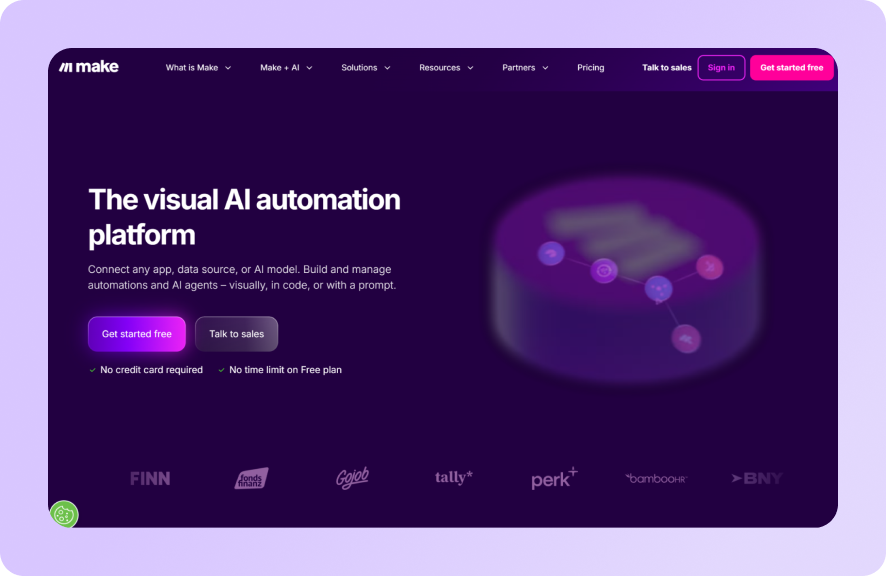
Make (rebranded from Integromat in 2022) is a visual automation platform that gives technically inclined users fine-grained control over multi-step workflows. Its scenario builder displays your automation as a visual flowchart which makes complex workflows easier to understand and debug than MuleSoft’s code-first approach.
Make sits between Zapier (simpler, less flexible) and MuleSoft (more powerful, much harder), a reasonable middle ground for teams that have outgrown basic no-code tools but don’t need enterprise-grade API architecture.
Key Features
- Visual Scenario Builder
Make’s drag-and-drop interface maps your entire workflow visually. Conditional branches, data routers, and iterators are all presented as nodes, making the logic of even complex automations easier to follow.
- Real-Time Execution and Scheduling
Scenarios can be triggered by events or run on a schedule, with real-time execution and detailed operation logs for debugging.
- 3,000 App Integrations
Make’s integration library is smaller than Zapier’s but includes advanced modules with more granular control over how data is mapped and transformed between apps.
Pricing
| Plan | Pricing |
|---|---|
| Free (1,000 credits/month) | $0 |
| Make Plan | $9/month |
| Company (Enterprise) | Custom |
Where Make Shines
- Visual logic is genuinely useful: For multi-step, conditional workflows, the visual scenario builder reduces errors compared to code-first tools
- Affordable entry point: Make’s pricing is accessible for small to mid-sized teams that need more than Zapier’s task caps
- Granular data mapping: More control over field-level data transformation than Zapier
Where Make Falls Short
- Steeper learning curve than Zapier: Make’s power comes with complexity which means new users typically need more time to get productive
- Performance at scale: Very large data sets or high-frequency scenarios can slow down on lower-tier plans
- No healthcare-specific capabilities: Like other horizontal tools, Make cannot process TRFs, run eligibility checks, or handle clinical document workflows natively
Customer Reviews
Logan B. shares, “Ease of use and simplicity are great factors. The user interface is friendly, and there are a wide variety of integrations, particularly for the core functionalities I need. I would say that the troubleshooting is pretty decent as well.”
Roman R. warns, “One challenge with Make is the learning curve when you first start building scenarios. It can take some time to understand how the logic works between modules and how data flows through the system. Sometimes even a small configuration detail can break the scenario, and it may take time to find the exact issue. Because of that, you need to be careful when setting up workflows and testing them.”
Who Make is Best For
- Technical business users or developers who want visual workflow control without enterprise-level budget requirements
- Small to mid-sized teams that have outgrown Zapier’s simplicity but don’t need MuleSoft-scale architecture
Reasons to Consider an Alternative to MuleSoft
If you’re thinking about using MuleSoft but not completely locked in yet, here are some factors to consider before making a decision.
The True Cost Is Far Higher Than the License Fee
MuleSoft’s subscription is just the beginning. First-year total costs for typical mid-market deployments run 2–3x the base subscription when you factor in implementation services, MuleSoft specialist salaries ($150K–$200K annually), training, and add-on modules.
MuleSoft’s pricing scales primarily based on Mule Flow and Mule Message capacity, without publishing public list prices, meaning every purchase requires direct negotiation with their sales team. Renewal costs frequently surprise finance teams, and reviewers note that pricing has become increasingly difficult to justify over time.
For labs and mid-market teams, the math rarely works out. Onymos’s modular, volume-based pricing means you pay for the capabilities your lab actually uses rather than a platform priced for Fortune 500 API architecture programs.
MuleSoft Requires Dedicated Technical Expertise to Operate
MuleSoft’s Anypoint Platform was designed for developers. That means non-technical users are almost entirely dependent on IT or outside consultants to build, maintain, and adapt integrations. Teams without dedicated developers face a steep learning curve just to get started, which can stall projects for months.
Onymos takes the opposite approach. DocKnow is delivered through a white-glove service that tailors it to your specific use case. And because it is purpose-built for lab workflows, the setup does not require translating generic integration logic into lab-specific processes.
Lab teams can easily operate it with or without IT involvement.
MuleSoft Is Deeply Tied to the Salesforce Ecosystem
Since Salesforce acquired MuleSoft in 2018, pricing, roadmap, and bundling decisions have increasingly aligned with Salesforce’s enterprise strategy.
For organizations not already running on Salesforce, or that want to stay agile, this creates real vendor lock-in risk. For labs using LIMS, LIS, or billing platforms outside the Salesforce stack, MuleSoft’s ecosystem advantages often do not apply.
Onymos connects directly to existing LIMS, billing platforms, and EHR systems via API, with no requirement to operate within any particular vendor ecosystem.
MuleSoft Does Not Address Healthcare Data Security at the Architecture Level
Most integration platforms, including MuleSoft, process and route data through vendor-controlled infrastructure, creating third-party data exposure risk. Over 55% of healthcare data breaches originate through third-party vendors.
Onymos’s No-DataArchitecture is structurally different: the platform never touches customer data. All patient records and extracted fields remain exclusively within the customer’s environment.
→ Read more about what data ownership actually means
Ready to Switch? Choose Onymos as Your MuleSoft Alternative
MuleSoft is a powerful platform. For large enterprises with dedicated integration engineering teams, Salesforce ecosystems, and complex multi-directional API needs, it may still be the right call.
But for clinical and diagnostic laboratories, it’s the wrong tool for the job. Labs need a system that understands test requisition forms, catches eligibility problems before specimens are processed, and keeps patient data out of third-party infrastructure.
That is what Onymos was built to do.
If your team is processing high volumes of TRFs, losing revenue to claim denials caused by intake errors, or scaling specimen volume faster than your manual workflows can keep up, Onymos is the most direct path to fixing that problem.
FAQs
Is MuleSoft worth the cost for a small or mid-sized lab?
No, in most cases. MuleSoft’s licensing, implementation, and specialist staffing costs are structured for enterprise budgets. For labs without dedicated integration engineers, the total cost of ownership is difficult to justify, particularly when purpose-built alternatives like Onymos exist specifically for lab workflows.
What is the main difference between MuleSoft and Onymos?
MuleSoft is a horizontal integration platform for connecting systems and managing APIs across any industry. Onymos is purpose-built for clinical and diagnostic laboratory intake. It processes lab-specific document types, runs AI-powered data reconciliation, conducts upfront eligibility checks, and stores all data within the customer’s own infrastructure. The use cases are fundamentally different.
Does Onymos replace a LIMS or RCM system?
No. Onymos does not replace LIMS, LIS, or RCM systems. It fills the gaps left by those systems, specifically at the intake layer, where missing or incorrect data causes downstream billing failures. Onymos plugs directly into existing systems and makes them work better.


Connect with our team to explore how Onymos solutions can maximize efficiency, minimize costs, and drive real, scalable growth.
Schedule your demoWe know healthcare data
AI in the lab. Workflow automation at scale. Digital front doors for hospitals and clinics. Healthcare and life sciences are changing fast. Are you ready? Subscribe to our blog for:
- Trends in healthcare tech
- Research and analysis
- Customer stories and more