7 Best HIPAA Compliant Document Management Systems in 2026
Key Takeaways
- Onymos DocKnow is the best HIPAA compliant document management system for diagnostic and clinical laboratories
- DocuWare and M-Files are strong picks for mid-to-large healthcare organizations that need broad, enterprise-grade document workflow management across departments
- Particle Health and Redox serve organizations that need HIPAA-compliant infrastructure for retrieving, normalizing, and routing clinical data across health information networks
- FileHold and Hyland OnBase suit compliance-heavy healthcare environments that prioritize document version control, audit trails, and deep EHR integration
Every healthcare organization handles documents that, if mismanaged, create HIPAA exposure. Ranging from $115 million class-action lawsuits to nearly $5 million fines for data leaks, a single misfiled document or unsecured data transfer can cause serious compliance havoc.
The best Health Insurance Portability and Accountability Act (HIPAA) compliant document management systems eliminate that risk by design, not just by policy.
Keep reading to discover the top platforms in 2026 so you can match the right system to your actual workflow and risk profile.
Compare the 7 Best HIPAA Compliant Document Management Systems: At a Glance
| Platform | Best For | Standout Feature |
|---|---|---|
| Onymos DocKnow | Diagnostic & clinical labs for intake, validation, and billing automation | No-Data Architecture + SmartSync AI reconciliation |
| DocuWare | Mid-to-large healthcare organizations automating document workflows | Configurable workflow automation + HIPAA-compliant document capture |
| M-Files | Enterprise health systems with complex metadata requirements | Metadata-driven document retrieval across existing systems |
| ParticleHealth | Organizations retrieving and normalizing clinical records via API | Simplified access to health information networks |
| Redox | Healthcare systems routing data between platforms | Healthcare data translation and routing across connected systems |
| Hyland OnBase | Large health networks running Epic or Cerner | Deep EHR/EMR integration (Epic, Cerner) |
| FileHold | Compliance-heavy environments needing version control and audit trails | HIPAA-compliant storage + role-based access controls |
If you run a diagnostic or clinical laboratory, most platforms above are built for general healthcare document management and not the specific intake and billing workflows where lab revenue is actually at risk.
Onymos DocKnow is the only platform on this list built specifically for lab accessioning, TRF processing, and RCM enablement with HIPAA compliance baked into the architecture.
See how Onymos DocKnow manages healthcare documents
securely from intake through billing. → Contact us now
1. Onymos DocKnow: Best for HIPAA-Compliant Intake-to-Billing Automation
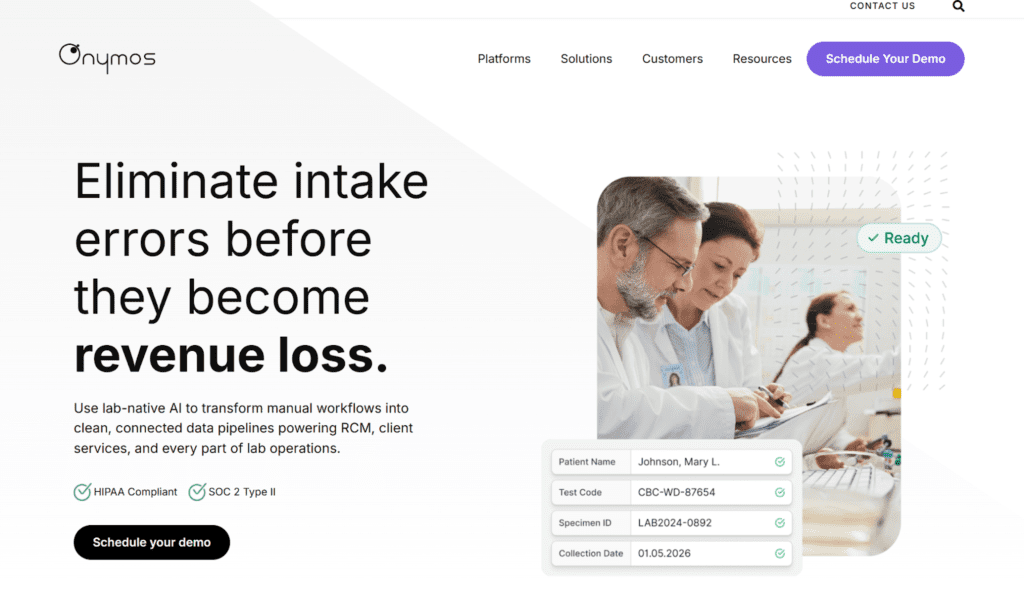
Onymos DocKnow is the intelligent intake layer purpose-built for healthcare and life sciences, specifically for the document-heavy workflows of diagnostic and clinical laboratories and modern lab automation software environments:
- Test requisition form capture
- Patient information and insurance data validation
- Billing document processing
- Compliance audit trails across every interaction
Where most HIPAA-compliant document management software focuses on storage and retrieval, DocKnow focuses on the point where HIPAA risk actually originates: the moment unstructured, incomplete, or conflicting data enters your workflow.
Fix it there, before it reaches your LIMS, EHR, or billing system, and downstream compliance risk drops dramatically.
Learn how DocKnow approaches AI governance in healthcare → Read more
Onymos DocKnow Key Features
- No-Data Architecture: DocKnow is deployed inside the customer’s own environment. The platform never accesses, captures, or stores patient data on Onymos servers. All PHI, extracted data, and document records remain exclusively within your infrastructure.
- Immutable Audit Trails + Business Rules Engine: Every document interaction is logged in an immutable changelog. Configurable business rules control how data is formatted, validated, and accessed across your team. This keeps labs audit-ready continuously, without manual compliance overhead.
- SmartSync AI Reconciliation: DocKnow’s proprietary AI engine cross-references extracted values across documents and connected systems in real time, flagging conflicting or missing data before anything moves downstream. This is the operational core of how DocKnow reduces both billing failures and HIPAA exposure simultaneously.
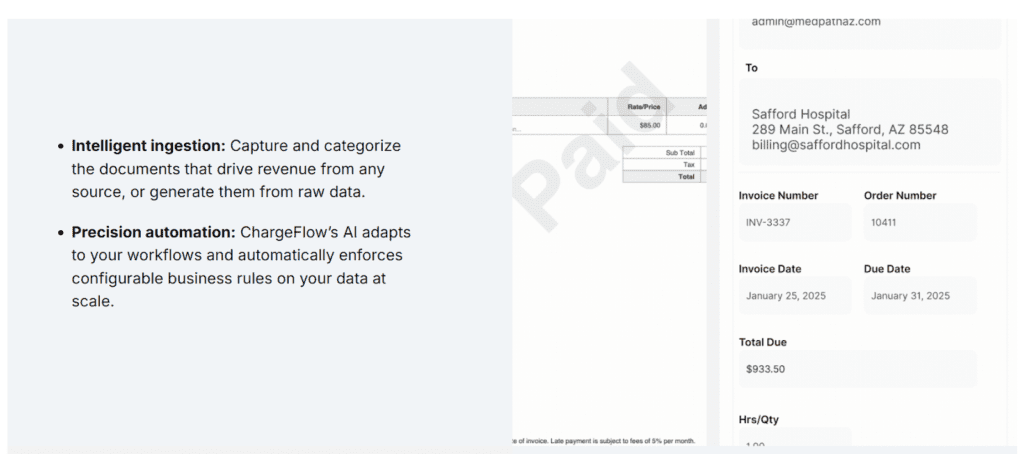
- Eligibility Checks and Reimbursement Automation: DocKnow extends beyond intake to power the billing side. Every change is logged and traceable, meeting HIPAA’s requirements for access control and audit documentation simultaneously.
Onymos DocKnow Pricing
Onymos offers a modular, custom pricing model. This means you can handpick the features you’d like to use and pay only for those.
Where Onymos DocKnow Shines
- Intake-to-billing in one platform: Connects lab accessioning, eligibility checks, billing automation, and audit trails in a single modular system
- No-Data Architecture: Patient data stays inside your infrastructure, eliminating the most common source of healthcare data breaches
- Compliance is architectural: HIPAA and SOC 2 Type II are baked into how the platform is deployed and operated
Where Onymos DocKnow Falls Short
- Lab-specific focus: Not designed for general hospital administration, HR document workflows, or contract lifecycle management
- Not a traditional DMS: If you need general document storage and retrieval across a large multi-department organization, platforms like DocuWare or Laserfiche offer broader scope
Onymos DocKnow Customer Reviews
Mark S. praises, “Rapid prototyping with ready-built frameworks allowing us to focus on our specific business requirements vs basic functions such as user management that often eat precious engineering cycles.”
Another verified user says, “The team’s work ethic, commitment and communication skills are exceptional. Their solutions have assisted in streamlining and addressing complexities efficiently.”
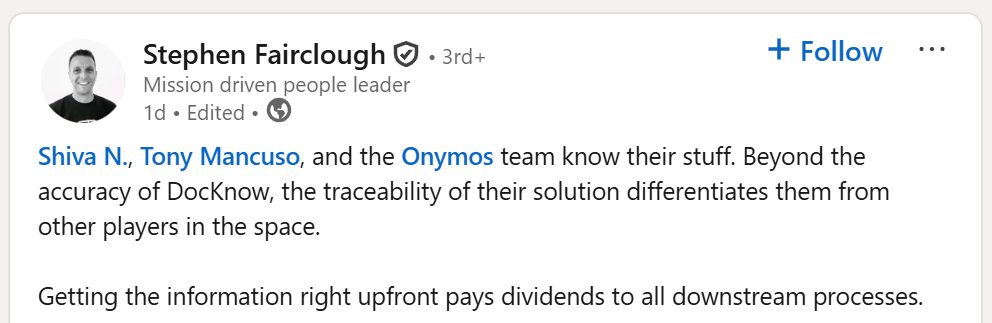
It’s not just implementation teams that notice the difference. Stephen Fairclough, who served as VP of Informatics at Personalis, put it plainly: “Beyond the accuracy of DocKnow, the traceability of their solution differentiates them from other players in the space. Getting the information right upfront pays dividends to all downstream processes.”
→ Read more Onymos customer success stories
Who Onymos DocKnow Is Best For
- Diagnostic and clinical laboratories: High-volume labs processing TRFs, insurance cards, and clinical docs at scale
- RCM teams and lab directors: Anyone responsible for clean data flow from specimen intake through reimbursement
- Labs that are scaling: Labs scaling to 350K+ specimens that need enterprise-wide compliance
Stop letting intake errors become compliance risks.
→ See Onymos DocKnow in action
2. DocuWare: Best for Mid-to-Large Healthcare Organizations
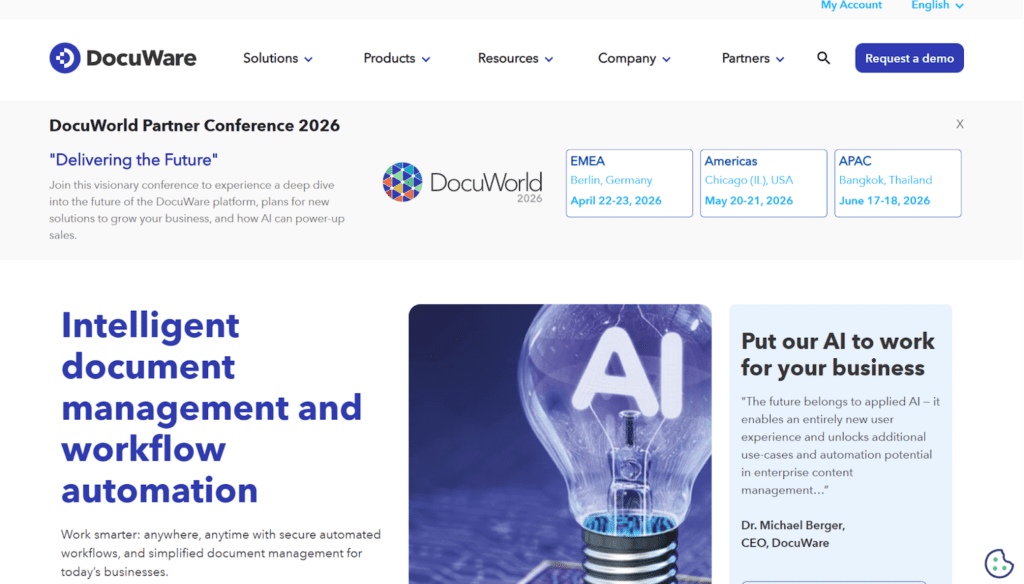
DocuWare is a comprehensive HIPAA compliant document management system used across hospital administration, medical group practices, and multi-department healthcare organizations.
Key Features
- Intelligent Document Capture: Automated capture and classification from scanners, email, and mobile inputs
- Configurable Workflow Automation: Approval and routing workflows for document processes across departments
- Cloud-Based Compliant Storage: Encrypted, searchable document storage with version history and full audit trails
Pricing
DocuWare offers Cloud pricing tiers that have per-user costs around $25–$100/month. These scale to enterprise level pricing. DocuWare quotes are customized.
Where DocuWare Shines
- Strong workflow automation: Beneficial for multi-department healthcare organizations
- Strong integrations: Particularly with major EHR systems
- HIPAA compliant: Comprehensive audit trails
Where DocuWare Falls Short
- Expensive: Compared to lighter alternatives
- Complex setup: Unsuitable for smaller organizations
- Too broad: Especially for labs needing intake-specific automation
Customer Reviews
Harsh C. says, “This is a super easy to use application where you sign up, add companies and start managing documents in a safe and organised manner.”
Byron C. warns, “Sometimes the log files get pretty large and the maintenance jobs need to be tweaked.”
Who DocuWare Is Best For
- Mid-to-large hospital groups automating document workflows across departments
- Healthcare providers standardizing document processes across multiple locations
3. M-Files: Best for Metadata-Driven Healthcare Document Management
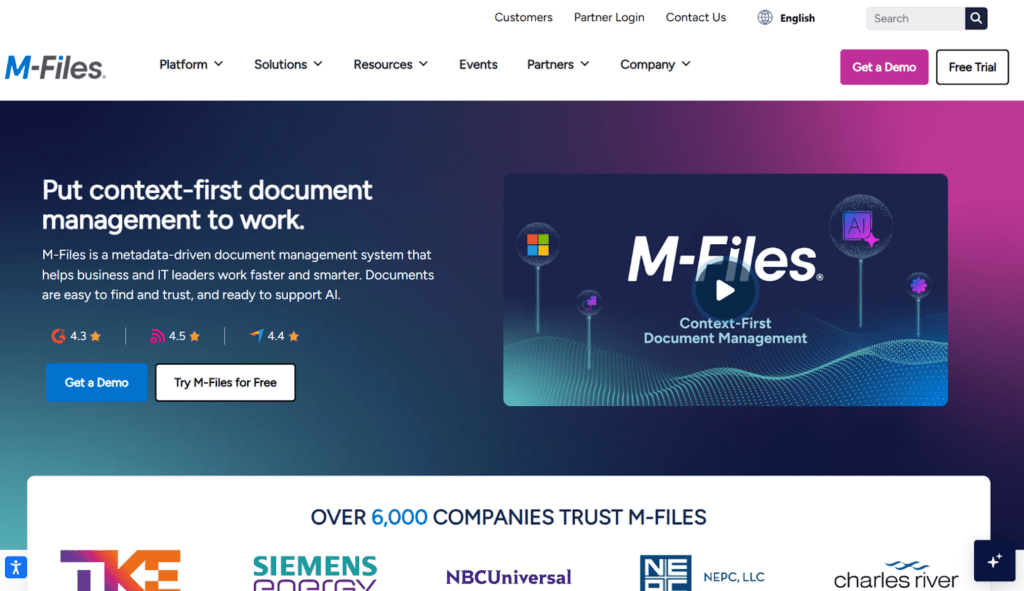
M-Files takes a different approach to HIPAA compliant document management. Instead of organizing files in folder hierarchies, it uses metadata to tag, retrieve, and manage documents dynamically.
Key Features
- Metadata-Based Organization: Documents are retrieved by what they are, not where they’re stored, reducing search time
- EHR System Integration: Connects with existing healthcare systems without requiring full infrastructure replacement
- Compliance Management: Tracks document access, modifications, and audit trails for HIPAA and other regulatory requirements
Pricing
M-Files follows a custom pricing model, typically billed per user/month.
Where M-Files Shines
- Faster retrieval: Via metadata in complex environments
- Easily adaptable: To existing healthcare systems
- Strong version control: Massive plus for compliance
Where M-Files Falls Short
- Time-intensive: Initial setup and schema design take time
- Non-technical staff may struggle: Due to the steep learning curve
- Unsuitable for lab accessioning: Not the best for claims processing
Customer Reviews
Evan J. says, “With M-FIles we are now able to bring all our operations into one platform. Whether it’s supplier agreements, tap room lease paperwork, or marketing assets, now I can find the specific documents I need within a couple seconds.”
Yasser A. notes, “The setup took longer than we had anticipated, and this is largely because the structure of the system varies so greatly from the more common folder structures.”
Who M-Files Is Best For
- Enterprise health systems managing thousands of document types across multiple departments
- Organizations that have invested heavily in existing systems and need a document management layer on top
4. Particle Health: Best for Clinical Data Retrieval via API
Rather than managing documents in storage, Particle Health focuses on simplifying access to medical records across health information networks. This means organizations can retrieve and normalize patient data through modern APIs rather than building dozens of custom integrations.
Key Features
- Health Information Network Access: Simplified, HIPAA-compliant retrieval of clinical records across major HINs via a single API
- Data Normalization: Standardizes patient information into clean, structured formats before it reaches downstream systems
- Modern API Architecture: Replaces brittle, custom EHR integrations with a unified developer-friendly API layer
Pricing
Particle Health offers a custom pricing model. You can avail a free demo first.
Where Particle Health Shines
- Simplifies clinical data retrieval: This applies across HIE networks
- Modern API: Reduces integration complexity
- HIPAA-compliant data: Strong compliance across infrastructure
Where Particle Health Falls Short
- Requires technical resources: Especially to implement and maintain
- Unsuitable for lab intake: Also unsuitable for billing document automation
- Not document focused: Not a document storage or workflow management platform
Customer Reviews
There are currently limited reviews available.
Who Particle Health Is Best For
- Healthcare organizations that need scalable, API-driven access to clinical records across health information networks
- Development teams building HIPAA-compliant health data products or patient data pipelines
5. Redox: Best for Healthcare Data Routing and Interoperability
Redox specializes in translating and routing healthcare data between systems. This is a fundamentally different problem from document storage, but an increasingly critical one for HIPAA compliance.
Key Features
- Healthcare Data Translation: Converts data between formats (HL7, FHIR, custom) so it moves correctly between connected systems
- System-to-System Routing: Routes clinical, billing, and operational data across platforms without manual intervention
- HIPAA-Compliant Infrastructure: All data transmission governed by HIPAA-compliant access controls and logging
Pricing
Redox offers custom pricing.
Where Redox Shines
- Best-in-class: For healthcare data translation and routing
- Reduces integration complexity: Especially across heterogeneous health systems
- Strong HIPAA-compliancy: Woven into its data routing infrastructure
Where Redox Falls Short
- Doesn’t specialize in document management: Neither a storage platform
- Technical elements required: Especially during implementation and ongoing maintenance
- Limited features: Not designed for end-user document workflows
Customer Reviews
Kirby K. notes, “Implementing interfaces with clients can be done in a matter of weeks instead of months.”
Zack B. laments, “The only real downside is a lack of interface reporting. Their model is great for businesses in need of healthcare interfaces, but when it comes to critical services, any delay can be costly, and it can be very important that even short delays or message queues be communicated.”
Who Redox Is Best For
- Health systems connecting multiple EHRs, labs, and billing platforms that need reliable data translation between systems
- Healthcare IT teams managing complex, multi-platform data infrastructure
6. Hyland OnBase: Best for Deep EHR/EMR Integration
Hyland OnBase is one of the most deeply integrated document management platforms in healthcare. Its core strength is native connectivity with Epic, Cerner, and other major EHR/EMR platforms.
Key Features
- Deep EHR/EMR Integration: Native connectors to Epic and Cerner; documents appear directly within clinical workflows
- Intelligent Capture: Automated document capture and classification from multiple input channels
- Healthcare-Specific Workflow Templates: Pre-built templates for common healthcare document processes, reducing configuration time
Pricing
Hyland follows a custom pricing model for all its solutions. This is typically offered with multi-year enterprise contracts.
Where Hyland OnBase Shines
- Best-in-class: For Epic and Cerner environments
- Mature platform: With strong enterprise support
- Healthcare specific: With customized workflow templates
Where Hyland OnBase Falls Short
- Cost: High implementation cost and complexity
- Vendor lock-in risk: Via deep EHR integrations
- Not purpose-built: For standalone lab document workflows
Customer Reviews
Surbhi D. notes, “Security and automation features are the most commonly used and keep documents secured.”
Samantha L. warns, “The pricing model for Hyland is challenging and total costs is significantly high.”
Who Hyland OnBase Is Best For
- Large health networks running Epic or Cerner that need documents surfaced natively within clinical workflows
- Enterprise health systems with dedicated implementation teams and multi-year budgets
7. FileHold: Best for Compliance-Heavy Healthcare Environments
FileHold is a user-friendly HIPAA compliant document management system built around version control, encrypted storage, and comprehensive audit trails.
It scales cleanly from small clinics to enterprise deployments without a platform change, making it a reliable choice for compliance-driven environments.
Key Features
- Robust Version Control: Every document revision is tracked and recoverable, with a complete audit trail
- HIPAA-Compliant Storage: Role-based access controls, encryption at rest and in transit, activity logging
- Scalable Architecture: Grows from small clinics to enterprise without a platform change
Pricing
FileHold offers a custom-based pricing model that is flexible. They are either license-based or pay-per-user subscription offers.
Where FileHold Shines
- Excellent version control: Especially for document-heavy compliance environments
- HIPAA-compliant: Also offers robust encryption
- Multiple tiers: Scales cleanly from small to enterprise
Where FileHold Falls Short
- Requires IT resources: To ensure optimal on-premise performance
- Initial complexity: This can be unnecessary for smaller entities
- Limited AI features: Also limited intelligent document processing capabilities
Customer Reviews
Astrid B. praises, “FileHold makes it easy to scan, store, and index documents. This solution also allows us to collect and organize information, access, process documents and control all our business processes.”
Tehn G. warns, “For a small enterprise it is costly. And because of easy access we get to store a lot of documents that may cause information overload. Also, it does not guarantee that your files are secured at all times.”
Who FileHold Is Best For
- Healthcare organizations prioritizing document version control and policy management
- Compliance-heavy environments where audit trails for every document action are non-negotiable
4 Ways Onymos DocKnow Keeps Your Lab HIPAA Compliant by Design
Most HIPAA compliant document management software keeps you compliant reactively such as by logging access, encrypting storage, generating audit reports after the fact.
DocKnow is built differently: it eliminates the upstream data errors and vendor exposures that create HIPAA risk in the first place. Here’s how.
1. Your Data Never Leaves Your Infrastructure
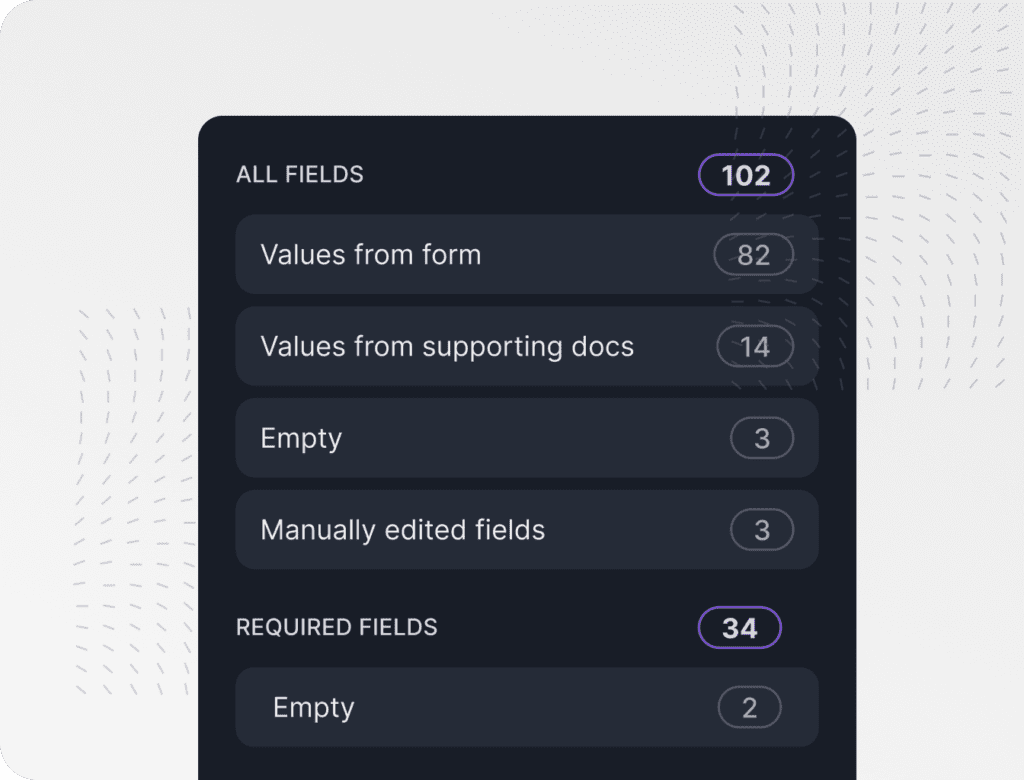
The most common source of healthcare data breaches isn’t from hacking but third-party vendor exposure. Reports suggest 80% of stolen patient records originate from vendors who store PHI on their own servers.
DocKnow’s No-Data Architecture addresses this as the platform is deployed inside your own environment (on-prem or cloud), and Onymos never accesses, captures, or stores your patient data.
Every TRF, insurance card, and extracted data point stays exclusively within your infrastructure from the moment it enters the system. HIPAA compliance starts with controlling where your data lives.
→ Download our HIPAA Compliance Automation Checklist
2. Intake Errors Are Caught Before They Become Compliance Events
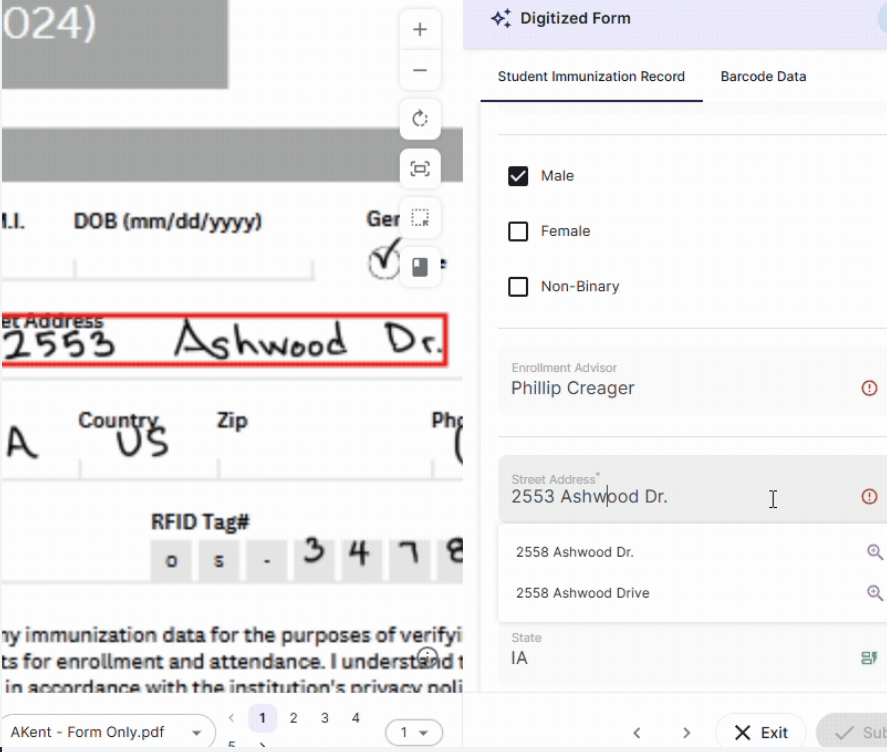
Incomplete or conflicting patient data at intake creates a chain of downstream compliance risk: incorrect records, misrouted documentation, and billing entries that don’t match source documents.
DocKnow’s SmartSync AI reconciliation engine catches those mismatches in real time, at the point of ingestion. Clean intake data is foundational to HIPAA compliance, and DocKnow automates that validation at the source.
3. Every Action Is Logged in an Immutable Audit Trail
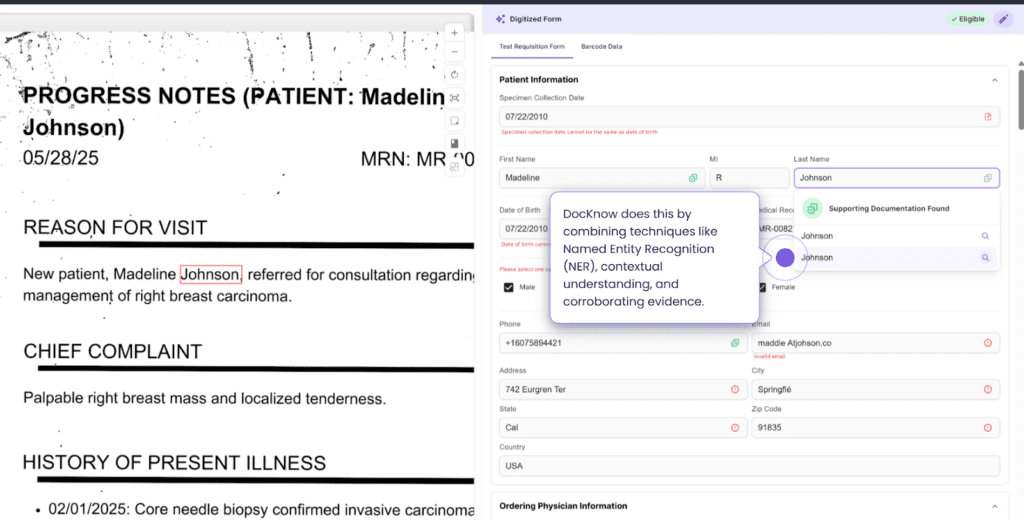
HIPAA requires healthcare organizations to maintain records of who accessed PHI, when, and what they did with it. DocKnow generates a field-level, immutable changelog for every document interaction.
Configurable business rules control how data is formatted and accessed across your team, and granular summaries are available on demand. Your team stays audit-ready continuously and not just when an auditor asks.
Learn how the Nucleus AI engine powers DocKnow’s compliance layer.
4. Eligibility Checks and Billing Automation Close the Compliance Loop
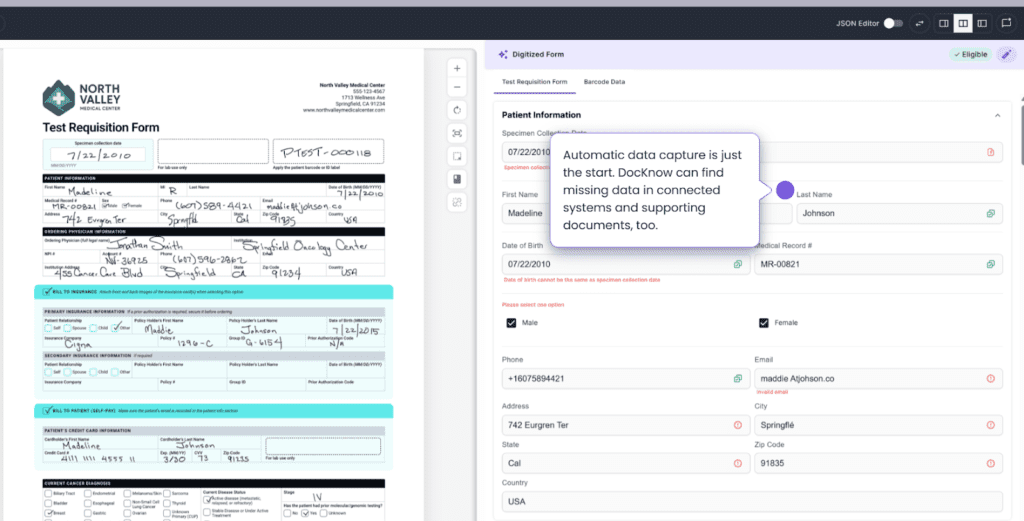
HIPAA compliance doesn’t end at intake. Billing and reimbursement documents carry PHI and must be handled with the same controls as clinical documentation.
DocKnow extends its compliance architecture through the billing workflow
- Running eligibility checks
- Processing revenue-related documents
- Supporting appeal letter generation
- Logging every interaction with the same immutable audit trail
Labs that use DocKnow for intake and billing operate a single, continuously logged compliance environment, not two separate systems with a gap in the middle.
See How Onymos Helps Lab Teams Manage Documents Securely
Most HIPAA compliant document management systems handle storage well. Very few address the point where HIPAA risk actually starts: incomplete, conflicting, or mishandled data at the moment it enters your workflow.
Onymos DocKnow is the intake and compliance layer your LIMS software was never designed to be.